10 Business Process Automation Strategies to Speed up Workflows
Teams waste countless hours on repetitive tasks such as manual data entry, chasing approvals, and copying information between systems. These inefficiencies drain resources, slow operations, and prevent organizations from focusing on strategic priorities. Business process automation strategies offer a solution by eliminating manual work and accelerating workflows across departments.
The right automation approach can transform how teams operate, reducing bottlenecks and boosting overall efficiency. Organizations that implement strategic automation see faster turnaround times, fewer errors, and improved resource allocation. When ready to implement these strategies, Bud's AI agent can help identify automation opportunities and streamline processes for measurable results.
Table of Contents
-
What Is Business Process Automation and Why Does It Matter
-
The Hidden Costs of Manual Processes
-
10 Proven Business Process Automation Strategies That Actually Work
-
How to Start Business Automation Without Disrupting Your Business
-
Stop Wasting Hours on Manual Work—Let Bud Automate Your Workflow
Summary
-
Employees spend up to 40% of their time on repetitive administrative tasks, according to Forbes Business Council research. The real cost isn't just the salary paid for that work. It's the cascading failures that multiply downstream: errors triggering support tickets, context switching destroying focus, and bottleneck dependency making operations fragile when key people are unavailable.
-
Manual data entry has an error rate of 1% to 4%, but correcting errors consumes far more time than the original task. A transposed digit in an invoice or a missed status update triggers follow-up work that compounds across teams. Most businesses don't track this rework separately, but they feel it in missed deadlines and customer complaints that erode trust faster than efficiency reports can measure.
-
Process mining reveals the gap between documented procedures and actual workflows by analyzing event logs from existing systems. This discovery-first approach prevents teams from automating broken processes, which only creates broken outputs faster. McKinsey research shows that automation can reduce operating costs by 20 to 35%, but only when applied to optimized workflows in which waste has been eliminated first.
-
78% of companies successfully implement automation without major disruptions, according to CommunityForce data. The teams that succeed start narrow, automating form validation before tackling approval routing and handling data entry before attempting exception management. Each small win builds institutional knowledge about what works in specific environments before complexity scales across departments.
-
API-first integration strategies treat application programming interfaces as core products rather than afterthoughts, enabling real-time data exchange across technology stacks without point-to-point integrations that break during system updates. Stripe's API-first model allows millions of businesses to integrate payment processing with minimal friction, proving how standardized interfaces shift integration from a project to a capability.
-
Low-code and no-code platforms democratize technical capability by placing automation tools directly in the hands of business users who understand processes best. T-Mobile leveraged OutSystems to build over 500 applications and cut development time by 70%, but success requires clear governance that defines what citizen developers can build, what data they can access, and the required approval processes before deployment.
-
Bud's AI agent addresses workflow automation by providing full system access and navigating across applications like a skilled assistant, adapting to context and handling exceptions without explicit instructions for every possible scenario.
What Is Business Process Automation and Why Does It Matter
Business process automation gives software the job of handling repetitive tasks instead of doing them by hand. Rather than scheduling emails or filling in forms automatically, you let software manage entire workflows—like approving invoices, onboarding customers, routing support tickets, and compliance documentation—using systems that run multi-step processes across different applications without human intervention. Key Point: Business process automation transforms manual, repetitive work into automated workflows that run across multiple systems without human intervention, freeing up your team for higher-value activities.

| Manual Process | Automated Process |
|---|---|
| Invoice approval takes hours of back-and-forth | Automatic routing and instant approvals based on predefined rules |
| Customer onboarding requires multiple touchpoints | Smooth workflow from signup to activation |
| Support tickets sit in queues waiting for assignment | Smart routing to the right team member instantly |
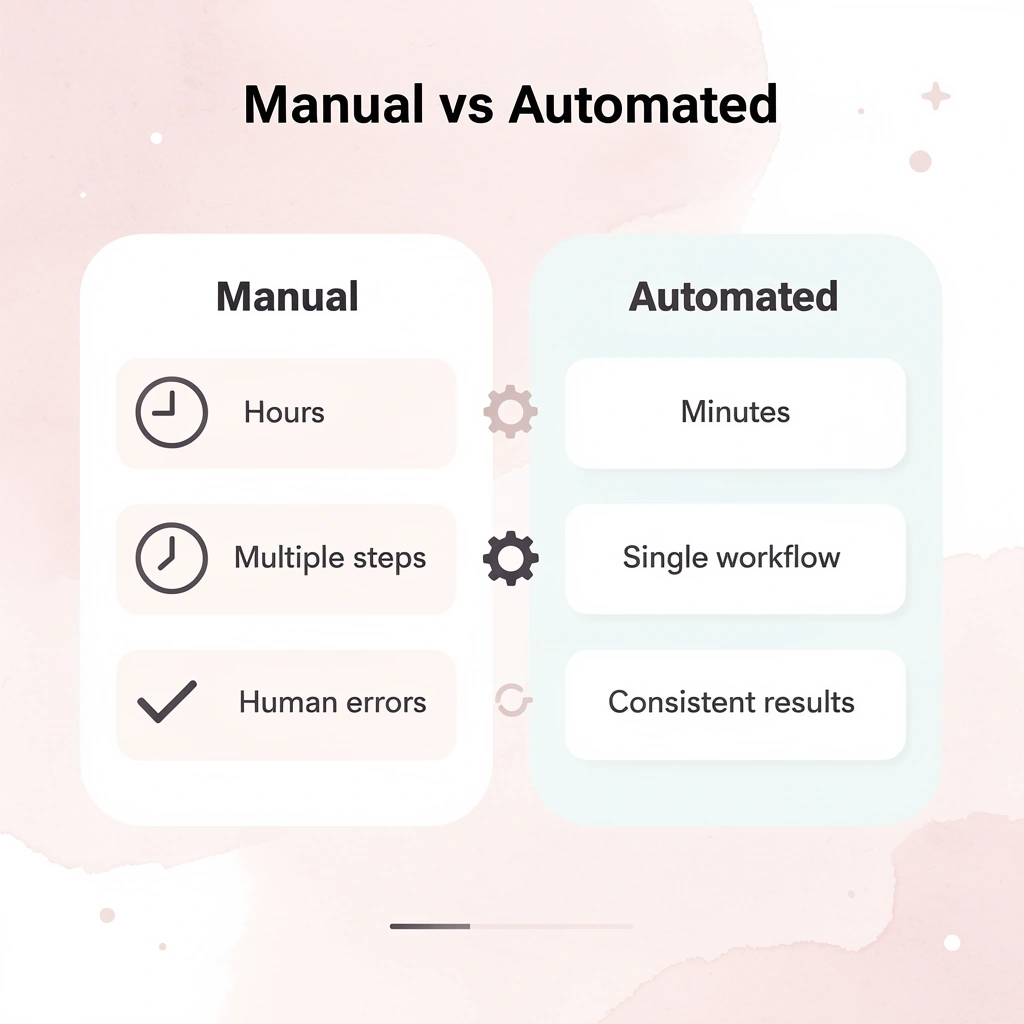
Example: Instead of manually checking each expense report, reviewing receipts, and sending approval emails, automation can instantly validate expenses against company policies, flag exceptions, and route approvals to the right managers—all while you focus on strategic decisions that actually need your expertise.
Why do organizations waste so much time on manual tasks?
Most organizations waste hours on work that doesn't require judgment. According to aproove.com, 66% of businesses already use automation in at least one department, yet many treat it as a luxury rather than infrastructure. Teams spend 10 to 15 hours per week on tasks machines can do better: verifying form completeness, following up on approvals via email, transferring data between systems, and generating routine reports.
What types of processes benefit most from automation?
The best targets for automation are repetitive, time-consuming tasks. Examples include invoice processing requiring three approvals from finance, operations, and management; customer onboarding involving welcome emails, account creation, resource assignment, and follow-ups; and support workflows that sort tickets by keywords, escalate unresolved issues after 24 hours, and notify managers when SLA thresholds are breached.
How do you identify manual bottlenecks worth automating?
These processes share common traits: predictable logic, multiple handoffs between people or systems, and manual bottlenecks. The insurance broker verifying form completeness isn't adding insight—they're executing a checklist that a system could validate in seconds. When 25% of appointment slots go unfilled due to missing automated reminders or deposit systems, you're working for free one out of every four hours while paying overhead.
Why do spreadsheets and basic scripts eventually fail?
Most teams start with spreadsheets, email rules, or basic scripts—tools that work until complexity increases. A customer list scattered across three messy spreadsheets cannot feed an automated onboarding sequence. Legacy systems don't integrate with new tools. The approval workflow that functioned smoothly with five people becomes unwieldy with fifteen stakeholders across four time zones.
What causes automation systems to remain isolated?
The failure point is usually integration, not the automation itself. You can build a perfect workflow, but if it can't pull data from your CRM, push updates to your project management tool, and log actions in your compliance system, it remains isolated. Traditional automation treats each task as its own script. Modern automation needs agents that move across applications, understand what's happening, and adjust when things go wrong—more like a skilled assistant than a macro.
How do AI agents solve traditional automation limitations?
Solutions like Bud's AI agent demonstrate this shift. Rather than following pre-programmed steps tied to specific APIs, these AI agents grant full access to your system and can interact with your entire computing environment. They handle multi-step processes across applications as a developer would: opening tools, understanding outputs, and adjusting based on discoveries.
But here's what most people miss when they rush to automate: the cost isn't limited to hours spent on manual work.
The Hidden Costs of Manual Processes
The cost of manual work isn't just the salary you pay someone. It's the buildup of small problems that slows down everything that follows. When someone manually enters customer data into three different systems, the cost isn't those 15 minutes—it's the error that causes a payment to fail two weeks later, the support ticket requiring an hour to investigate, and the customer who leaves because their experience felt broken. Manual processes create cascading failures that grow far larger than the original task. Key Point: The true expense of manual work extends far beyond the initial time investment—it's the compound effect of errors, delays, and customer frustration that creates the real financial damage.

"Manual processes create cascading failures that grow much bigger than the original task, turning 15-minute data entry into hours of downstream problems." Warning: Every manual touchpoint in your workflow is a potential failure point that can multiply costs and damage customer relationships weeks or months after the original task is completed.
Where friction compounds fastest
Forbes Business Council reports that employees spend up to 40% of their time on repetitive administrative tasks. This burden manifests in three patterns that most acutely affect small teams.
How does context switching destroy productivity?
Switching between different tasks destroys your focus before you realize it's happening. Jumping between email, spreadsheet, CRM, and chat to complete one customer onboarding sequence depletes cognitive energy with each switch. This mental cost of refocusing and rebuilding momentum adds up to hours of lost productivity each week, leaving teams feeling constantly busy yet struggling to finish important work.
Why does error correction cost more than original work?
Fixing errors costs more money than doing the work correctly initially. Manual data entry produces mistakes between 1% and 4% of the time, according to research compiled by Mainly. A transposed number on an invoice, a missed status update, or an outdated file sent to a customer creates rework that consumes far more time than the original entry. This leads to missed deadlines and dissatisfied customers.
How do bottleneck dependencies make operations fragile?
Bottleneck dependency makes operations fragile. When only one person knows how to process refunds, approve vendor payments, or generate compliance reports, your business becomes vulnerable to their absence. Automation replaces this tribal knowledge with systems that execute regardless of staffing.
How does growth expose what volume hides?
Manual workflows work adequately with a few customers but become difficult to manage at 50 and unsustainable at 100. The problem isn't task complexity; it's that manual processes demand increasing effort as you scale. You must keep adding people to handle repetitive work, causing costs to rise faster than revenue. Teams stay perpetually busy yet make no meaningful progress.
What makes AI agents different from traditional automation?
Solutions like Bud's AI agent change this by granting automation full system access rather than limiting it to predefined API connections. Rather than manually copying data between applications or writing custom scripts for each integration, our AI agent navigates computing environments like a skilled assistant—opening tools, interpreting outputs, adapting to context, and handling exceptions across multiple systems without explicit instructions for every scenario.
Are you measuring the right costs?
The question isn't whether manual processes cost too much, but whether you're measuring the right costs.
10 Proven Business Process Automation Strategies That Actually Work
Most automation strategies fail because teams pick tools before understanding what needs to be fixed. The frameworks that work start with the problem, not the technology. Each strategy below addresses specific operational friction points, explains how it works, and shows how to implement it without completely rebuilding your infrastructure.

Key Point: Successful automation requires problem-first thinking rather than technology-first approaches that lead to costly implementation failures.

Warning: Jumping straight to tool selection without proper process mapping is the fastest way to waste automation budgets and create more complexity instead of less.
1. Robotic Process Automation (RPA): Your Digital Workforce
RPA uses software bots that copy human actions within existing user interfaces. These bots log in to applications, copy data, fill out forms, and move files without requiring API integrations. You can automate legacy systems because the bot interacts with the interface exactly as a person would.
Walmart uses RPA to automate invoice processing and accounts payable, eliminating thousands of hours of manual data entry monthly. Telefonica automated customer service requests and achieved 90% straight-through processing, freeing agents to handle complex issues requiring human judgment.
RPA doesn't change your underlying systems—it sits on top, executing the same clicks and keystrokes a person would perform, only faster and without errors. For businesses running software that can't be replaced or integrated, this creates immediate efficiency gains without the risk and cost of system migration.
When to deploy RPA
Use RPA for stable, rule-based processes involving structured data. It works best when connecting systems without APIs or when custom integrations would cost more than the automation saves. The ideal use cases are repetitive tasks with clear logic, such as data entry, report generation, form processing, and system-to-system data transfers.
Start with high-volume, low-complexity workflows for quick wins. Identify processes consuming 10+ hours weekly that follow predictable patterns: invoice processing, expense report routing, and customer data synchronization between CRM and accounting systems.
Standardize before you automate. Map the current workflow, eliminate unnecessary steps, and document the optimized version. A bot executing a broken process creates broken outputs faster.
Establish governance early. Create clear guidelines for bot development, deployment, and maintenance. Define who can build bots, which processes qualify for automation, and how to handle exceptions. Without this structure, undocumented bots will break when systems update.
Monitor performance continuously. Tools like UiPath and Automation Anywhere provide dashboards showing where bots succeed and fail, driving iterative improvements and helping identify which processes need human oversight versus full automation.
2. Workflow Automation: Orchestrating Your Business Engine
Workflow automation routes work between people and systems based on set rules, executing process logic. Unlike RPA, which copies individual actions, workflow automation organizes the sequence of tasks, approvals, and handoffs that comprise a complete business process. It ensures notifications trigger, data transfers run, and approvals route automatically without manual intervention at each step.
By defining who does what and when, it removes bottlenecks, prevents tasks from disappearing into email threads, and provides full visibility into process status. Siemens streamlined its procurement cycle by 60% with workflow automation. American Express cut expense report processing from days to hours by automating approval routing and policy validation. The system eliminates coordination overhead: no one needs to chase approvals via email or manually move work to the next stage.
When workflow automation makes sense
Use this for processes with multiple steps and multiple approvers. It works best when you need clear rules about what happens next: onboarding new employees (involving HR, IT, and department managers), approving expense reports based on amount and category, and escalating customer support cases for slow response times or serious issues.
How do you implement workflow automation successfully?
Map out processes thoroughly before building. Create a detailed visual representation of every task, decision point, and person involved. Identify bottlenecks, failed handoffs, and edge cases. This reveals what needs automation versus process changes.
Design for unusual situations from the start. Define clear escalation paths for overdue tasks, rejected approvals, or missing information. A workflow requiring manual work for every unusual scenario hasn't automated anything.
Implement gradually with pilot groups. Start with a single department to test and refine before company-wide deployment. Gather feedback from users who execute the workflow daily; they identify friction points that leadership never sees.
Prioritize user training over technical configuration. Provide comprehensive documentation, clear examples, and hands-on training so everyone understands their role, the triggers that involve them, and where to find help.
3. API-First Integration Strategy
An API-first approach treats application programming interfaces as core products, not afterthoughts. You design and build APIs first, which serve as foundational building blocks for connecting applications, data, and services. This enables real-time data exchange and process automation across your technology stack without fragile point-to-point integrations that break whenever a system updates.
This method creates a flexible, scalable integration framework. Stripe's API-first model enables millions of businesses to integrate payment processing directly into their applications with minimal friction. Salesforce's API ecosystem facilitates the vast majority of customer data interactions, demonstrating how APIs extend platform functionality without custom development for each use case.
APIs standardize how systems communicate by exposing consistent interfaces that any system can consume. New tools connect within hours rather than months because the interface already exists, eliminating the need to build custom connectors for every integration.
Building an API-first foundation
Start when you need deep, real-time integration and want to build a scalable platform. This is essential for businesses relying on microservices architecture or creating ecosystems for partners and third-party developers.
Design for consumers with clear, comprehensive documentation and strict versioning. Treat your API users as customers. Poor documentation or breaking changes without warning destroy trust and adoption. Every endpoint should include examples, error codes, and expected behaviors explicitly documented.
Implement robust security from day one. Secure APIs with authentication, authorization, and throttling. Use an API gateway for centralized policy enforcement: rate limiting prevents abuse, authentication ensures only authorized systems connect, and logging provides audit trails for compliance.
Follow established standards for predictability. Adhere to RESTful design principles and industry conventions so developers can predict how your API behaves based on patterns they've encountered elsewhere.
Monitor and analyze continuously. Track API performance, uptime, and usage analytics. Tools from providers like MuleSoft and Postman offer powerful monitoring capabilities that reveal which endpoints get used most, where performance degrades, and when breaking changes would impact the most users.
4. Low-Code/No-Code Automation Platforms
Low-code/no-code platforms enable business users to build applications and workflows using visual interfaces, pre-built modules, and drag-and-drop functionality. This accelerates development and brings automation capabilities directly to those who understand business processes best.
This approach reduces the need for specialized IT teams and enables faster development cycles. Progressive Insurance automated complex claims processing using Appian, improving speed by 50%. T-Mobile used OutSystems to build over 500 applications, cutting development time by 70%. Department heads can now prototype and deploy workflows in days rather than waiting months for IT to build custom solutions.
Deploying low-code/no-code effectively
Use these platforms to quickly build custom applications or departmental workflows, especially when standard tools don't work, and custom development projects face months-long backlogs. Internal request forms, approval workflows, data collection apps, and process tracking dashboards are ideal candidates.
Set up clear governance before empowering citizen developers. Create policies defining what they can build, what data they can access, and what approval processes are required. Without these guardrails, shadow IT emerges: undocumented applications that access sensitive data without security review and lack maintenance plans.
Provide structured training and dedicated support through formal programs, not documentation alone. Platforms like Mendix and Bubble offer certification paths. Invest upfront to prevent poorly designed applications that create more problems than they solve.
Start with simple, low-risk projects to build confidence. Internal request forms, basic approval workflows, or simple data dashboards let teams learn without high stakes before tackling more complex systems.
Implement quality assurance for all citizen-developed applications through peer review or dedicated QA processes. A few broken applications can destroy adoption faster than a dozen successful ones can build it.
5. AI-Powered Intelligent Automation
Smart automation combines artificial intelligence with traditional automation to handle unstructured data, make complex decisions, and learn from outcomes. Using machine learning, natural language processing, and computer vision, it manages unpredictable and dynamic workflows beyond rule-based tasks.
Unlike RPA, which follows explicit instructions, smart automation interprets context, analyzes patterns, and adapts actions. This enables automation of end-to-end processes that previously required human judgment. HSBC uses AI to analyze transaction patterns and automate fraud detection with 95% accuracy. Deutsche Bank uses smart document processing to automate Know Your Customer checks, reducing manual review time by over 80%.
AI models find patterns in data that rule-based systems miss. A traditional automation might flag transactions over $10,000 for review, whereas an AI model analyzes hundreds of variables, behavioral patterns, and contextual factors to identify actual fraud while reducing false positives that waste investigator time.
Implementing intelligent automation strategically
Use this approach when processes involve unstructured data, cognitive decision-making, and dynamic conditions: invoice processing with vendor- and customer-specific formats, customer sentiment analysis from support tickets, and document classification where categories aren't predefined. These scenarios are too variable for standard automation but too repetitive for full human handling.
Start with defined use cases where training data exists. Begin with processes where you already have thousands of examples: historical invoices, past support tickets, completed applications. This ensures your AI models have solid foundations for learning patterns.
Ensure data quality before implementation. AI model performance depends entirely on the quality of the training data. Prioritize cleaning, standardizing, and organizing data first: weeks spent on data preparation prevent months of poor model performance.
Implement human oversight from the start. Use a human-in-the-loop model where AI makes recommendations and humans verify decisions. This builds trust, catches errors before they compound, and helps refine the model. As accuracy improves, reduce oversight gradually.
Plan for continuous improvement, not one-time deployment. AI models aren't static: regularly monitor performance, retrain with new data, and optimize for changing conditions. Popular platforms like IBM Watson and Google AI Platform provide tools for this. According to the RedactAI Blog, automation can reduce processing time for routine tasks by 80%, but maintaining that performance requires ongoing model management.
6. Process Mining and Discovery: Uncovering Your True Workflow
Process mining works like an X-ray for your business, revealing how your processes actually function using real data from your systems. Analyzing event logs from systems like ERPs and CRMs, it creates accurate visual maps of workflows that highlight bottlenecks, inefficiencies, and deviations from expected performance. This discovery-first approach ensures you automate the right processes, providing objective, data-driven insight into where improvements will have the greatest impact.
How do you deploy process mining effectively?
Use process mining when visibility into processes is limited, and performance problems are unclear. It works especially well for high-volume transaction processes, such as order-to-cash, procurement, or customer support workflows. Uber has used Celonis to streamline onboarding workflows, while BMW optimized production efficiency using similar techniques.
Start by ensuring you have access to high-quality event log data; the accuracy of your process insights depends entirely on data completeness and consistency. Focus on processes with the biggest impact first to show results quickly and build momentum. Work closely with process owners, whose real-world knowledge is critical for understanding results and identifying meaningful improvements. Use insights to prioritize automation projects by addressing the largest bottlenecks first to maximize value. Tools like Microsoft Process Advisor and Signavio can support this effort.
7. Event-Driven Architecture (EDA) Real-Time Process Automation
Event-Driven Architecture (EDA) enables systems to respond to business events such as transactions, user actions, or system updates. Instead of constantly checking for changes, services subscribe to event streams and react automatically when events occur. This creates a system that responds quickly, scales easily, and keeps different parts of the business separate while maintaining real-time synchronization.
How can you deploy event-driven automation effectively?
Use EDA in environments where speed, responsiveness, and scalability are critical, particularly in complex ecosystems with multiple interacting systems. Netflix uses event-driven systems to process massive volumes of user activity, while Goldman Sachs uses similar architectures for real-time trading and risk management.
Define clear and standardized event schemas to ensure consistency across systems. Build strong error-handling mechanisms, such as dead-letter queues to isolate and resolve failures without disrupting workflows. Use event sourcing to maintain a complete audit trail and enable system state reconstruction. Continuously monitor performance metrics, such as throughput and latency, using tools like Amazon EventBridge.
8. Hyperautomation: The Ultimate End-to-End Automation
Hyperautomation brings together multiple technologies, including RPA, AI, and process mining, to automate end-to-end business processes rather than isolated tasks. It organizes a complete automation ecosystem that creates a continuous improvement loop: finding inefficiencies, automating processes, analyzing outcomes, and refining operations over time.
Deploying hyperautomation effectively
Use hyperautomation to drive large-scale digital transformation projects and improve workflows across departments. Companies like Siemens have achieved near-complete automation in financial processes, while Deutsche Telekom has reduced manual work through integrated automation strategies.
Start with a complete roadmap that matches business priorities and ROI potential. Establish a Center of Excellence (CoE) to manage automation projects, enforce standards, and ensure alignment.
Improve processes before automating them; automating inefficiencies only compounds problems. Invest in change management, upskill employees, and transition them into higher-value roles. Platforms like UiPath and Automation Anywhere support large-scale business automation projects.
9. Business Process Management (BPM) Systems
Business Process Management (BPM) systems enable businesses to design, run, monitor, and improve their operations. Unlike tools focused on individual tasks, BPM platforms manage complete workflows involving people, systems, and decision rules. This approach treats processes as strategic business assets, ensuring continuous improvement and alignment with organizational goals.
How can organizations deploy BPM effectively?
Use BPM for core business processes requiring coordination across departments, human involvement, and complex decision-making. Organizations like ING have streamlined loan processing with BPM, while Allianz improved claims handling efficiency through platforms such as Pega.
Align BPM initiatives with key business goals, invest time in process analysis and redesign before implementation, roll out solutions in phases to minimize risk, and engage stakeholders early with training to ensure adoption.
10. Cloud-Native Automation: Scalable and Resilient Workflows
Cloud-native automation uses modern cloud setups—microservices, containers, and serverless computing—to build systems that scale easily and handle problems well. Workflows are split into separate services that scale up or down based on demand, helping organizations manage changing workloads, reduce infrastructure costs, and improve reliability.
How do you deploy cloud-native automation effectively?
Use this strategy when you need growth capability, flexibility, and low costs, especially for data-intensive work or unpredictable demands. Companies like Spotify use cloud-native architectures to power recommendation systems, while Airbnb relies on cloud automation to handle traffic spikes smoothly.
Design processes specifically for the cloud rather than migrating legacy systems. Use Infrastructure-as-Code (IaC) tools such as Terraform or AWS CloudFormation to ensure consistent deployments. Implement robust monitoring with tools like Prometheus or Datadog to maintain visibility across distributed systems. Prioritize security and compliance through automated checks and cloud-native best practices.
How to Start Business Automation Without Disrupting Your Business
Start with one workflow that takes up visible time and involves multiple handoffs. Pick something that is not critical but annoying: expense approvals taking three days, customer intake forms routed through five email threads, or weekly report generation taking up two hours every Friday. This proves the concept works without risking operations if something were to break. Key Point: Choose workflows that are time-consuming but non-critical for your first automation projects to minimize business risk.
Pro Tip: Document the current process completely before automating - this helps you identify exactly where time is wasted and ensures nothing important gets missed in the transition.
| Good First Automation Targets | Time Saved | Risk Level |
|---|---|---|
| Expense approvals | 2-3 days | Low |
| Customer intake forms | 30-60 minutes | Low |
| Weekly report generation | 2+ hours | Medium |
| Invoice processing | 1-2 hours | Low |

What makes a good first automation target?
Most teams seek the perfect first automation target: high impact, low complexity, universally supported. That process doesn't exist. Instead, look for workflows where delay creates measurable friction but failure won't stop business. Invoice processing for recurring vendors fits this pattern: the task repeats weekly, follows predictable logic, and mistakes get caught before payment goes out. Client onboarding works similarly when you're handling 10–20 new customers monthly, enough volume to justify automation but not so many that a problem becomes catastrophic.
How do successful teams avoid common automation pitfalls?
According to CommunityForce, 78% of companies successfully implement automation without major problems. Failure typically stems from scope creep rather than technical limitations. Successful teams start small: automate form validation before approval routing, handle data entry before exception management. Each small win builds institutional knowledge about what works in your environment before complexity scales.
What actually happens when you pilot
Your first automation will surface undocumented problems: unstandardized data fields, informal approval workarounds, and manual data transfers hidden across systems. These discoveries are valuable because they help you identify what needs fixing before automating at scale, when mistakes compound across departments.
Teams that skip this discovery phase automate broken processes, creating errors faster than manual work. Automation reduces operating costs only when applied to optimized workflows. Standardize first by documenting the ideal workflow, removing unnecessary approvals and redundant steps, then automating what remains.
How do quick wins create organic expansion?
Quick wins build credibility. When finance sees expense processing drop from 72 hours to 4, they ask what else could be automated. When customer success watches onboarding emails sent automatically based on signup triggers, they propose automating follow-up sequences. Organic expansion works because people trust what they've seen succeed.
How do AI agents differ from traditional automation tools?
Traditional automation tools require you to configure exactly how systems connect: which system talks to which, what data moves when, and how to handle problems. Every change demands reconfiguration, testing, and risk of breaking the rest of the system.
Solutions like Bud's AI agent work differently by giving agents entire workflows that can access all your systems. Instead of programming every possible situation ahead of time, you describe what needs to happen, and the agent moves across applications the way a skilled assistant would, adjusting to circumstances and handling problems without needing instructions for each scenario.
Scaling without losing control
After proving automation works on one process, automate nearby workflows that share similar logic or data sources. If you automated invoice processing for recurring vendors, extend it to one-time vendor payments next. The systems, approval chains, and exception handling already exist. This step-by-step approach prevents chaos from automating multiple unrelated workflows simultaneously, each requiring different integrations and stakeholder coordination.
But knowing where to start matters only if you understand what happens when automation meets daily operations.
Stop Wasting Hours on Manual Work—Let Bud Automate Your Workflow
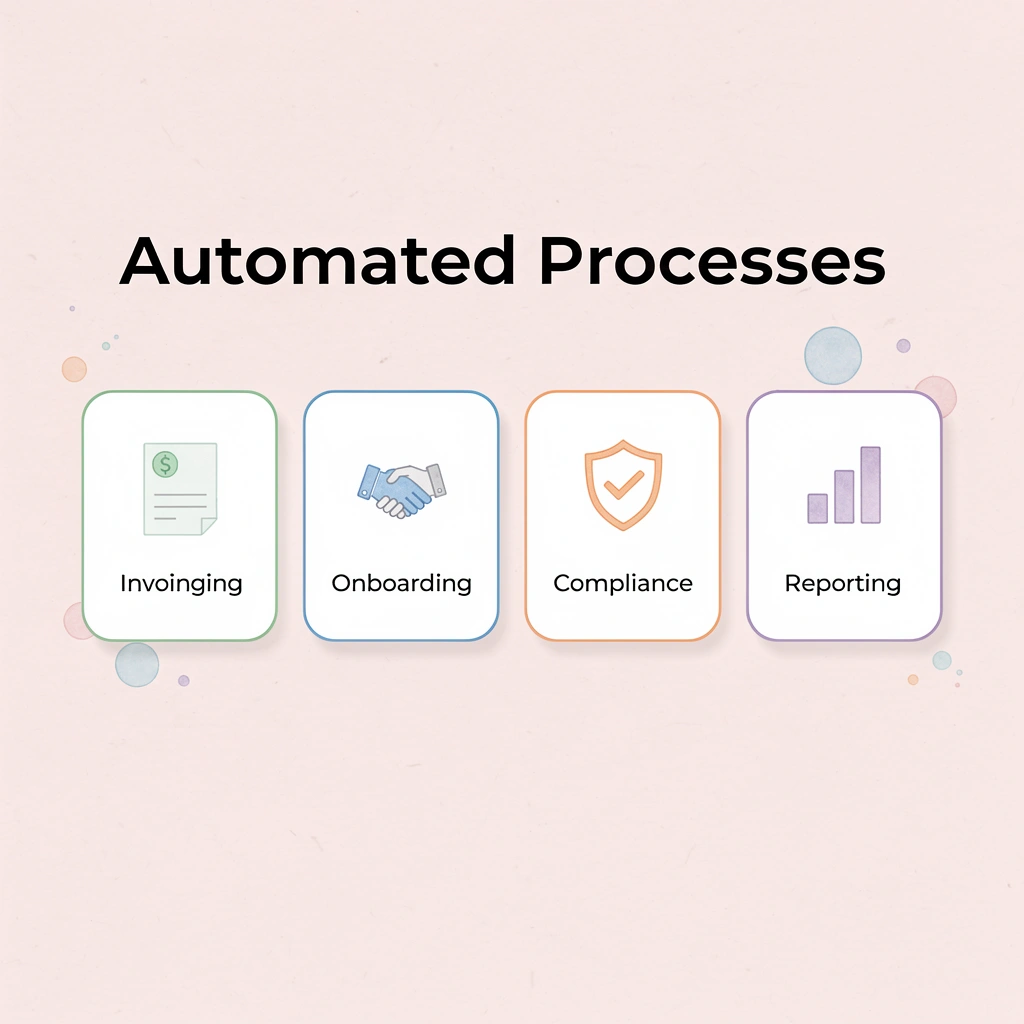
Pulling reports, copying data between systems, and chasing approvals through email threads waste hours that could fuel business growth. Bud is the first agent with full computer access, capable of navigating websites, filling out forms, pulling data, and completing multi-step workflows across your entire computing environment like a skilled assistant. It adapts to changing circumstances and handles unexpected situations without requiring specific instructions for every scenario. Tip: Every process we discussed—from invoice processing to customer onboarding to compliance documentation—becomes something Bud can handle automatically. Instead of writing custom scripts for each integration or manually connecting systems that don't talk to each other, you describe what needs to happen, and our AI agent does it. The time you get back lets you focus on strategic decisions that need human judgment, creativity, and insight that machines can't match.
"Manual effort doesn't just cost hours—it costs results, momentum, and the chance to build something that matters." Key Point: Start your first workflow today. Launch it in minutes, connect your apps, and see how much capacity you recover while your AI agent handles the hard work. Manual effort doesn't just cost hours—it costs results, momentum, and the chance to build something that truly matters.