10 Best Google Ads Automation Tools for Better Performance in 2026
Managing Google Ads campaigns requires constant attention to bidding, keyword analysis, audience refinement, and budget monitoring. Smart automation tools can handle these repetitive tasks while maintaining campaign control and improving performance. The right Google Ads automation tools reduce manual work, continuously optimize campaigns, and deliver better ROI without requiring constant oversight.
Modern automation solutions handle routine tasks like bid adjustments and budget allocation, allowing marketers to focus on strategy and creative decisions. These tools use machine learning to make data-driven optimizations that often outperform manual management. For businesses seeking comprehensive campaign automation, Bud's AI agent provides intelligent management that adapts to performance data in real-time.
Table of Contents
-
Why Manual Google Ads Management Breaks Down as Campaign Complexity Increases
-
How Google Ads Automation Actually Works Behind the Scenes (The Execution Layer Most Advertisers Never See)
-
14 Best Google Ads Automation Tools for Scaling Campaign Performance in 2026
-
Stop Manually Executing Repetitive Work Across Tabs and Tools
Summary
-
Google Ads campaigns break down under complexity because human decision-making cannot keep pace with auction speed. At scale, accounts reach 8,720+ keywords and 311.4 ad groups, according to WordStream data, creating a decision surface that expands faster than manual oversight can keep up with. The real failure isn't skill or effort, it's latency. Google's auction operates in milliseconds while manual management works in hours or days, creating performance drift where bids stay misaligned, and budget bleeds into saturated audiences before you catch the pattern.
-
Automation operates as a real-time execution system, not a scheduled review process. It evaluates hundreds of contextual signals during each auction, adjusting bids based on device type, location, time, user intent, and competitive pressure before the impression closes. According to Adspirer's 2025 research, 80% of Google Ads accounts now use automated bidding, yet most advertisers still perceive it as an assistant tool rather than a replacement for manual iteration cycles. This creates unrealistic expectations about control, retention, and responsibility for optimization.
-
Most operational latency occurs between platforms, not within them. You extract campaign data from Google Ads, format it for reporting tools, update CRMs with lead notes, and then return to adjust budgets based on analysis. Individual platforms automate their functions, but manual coordination still ties them together. The accumulated friction of context switching and data reformatting across disconnected tools compounds into hours of overhead weekly, especially when managing multiple accounts or complex reporting workflows.
-
Automation tools solve distinct bottlenecks across the execution layer. Bid management platforms handle real-time auction decisions. Feed-based systems generate campaigns from inventory data. Auditing tools run continuous quality checks across account structures. Each removes specific manual constraints, but none address the workflow gaps between platforms where data transfer and process coordination still require human intervention.
-
Tool selection depends on which operational constraint blocks your scaling path. Teams drowning in daily optimization tasks need continuous improvement systems with one-click fixes. Large advertisers running cross-platform campaigns require portfolio bidding across Google and Microsoft simultaneously. Agencies managing dozens of accounts need automated quality control that prevents errors before they compound. The question isn't which tool ranks highest; it's which bottleneck costs you the most time and performance degradation right now.
-
AI agents address this by executing complete workflows across your entire digital workspace, handling multi-step processes that span disconnected platforms without requiring API integrations or manual coordination at each transition point.
Why Manual Google Ads Management Breaks Down as Campaign Complexity Increases
Most advertisers believe hands-on control leads to better performance—adjusting bids, pausing keywords, and shifting budget between ad groups feels safer than trusting algorithms. But control doesn't scale linearly with effort. As campaigns grow, variables multiply faster than any human can process in real time, and what you gain in oversight, you lose in response speed.

Key Point: The illusion of control in manual campaign management becomes a liability when campaign complexity outpaces human processing capacity.
"Variables multiply faster than any human can process in real time when campaigns scale beyond basic setups."

Warning: What feels like safer hands-on management actually creates response delays that cost you conversions and budget efficiency as your campaigns grow.
How does account size affect management complexity?
A small Google Ads account might run 2.5 campaigns, 10.8 ad groups, and 87 keywords, according to WordStream. You can monitor performance daily and catch issues before they escalate. A medium-sized account—15.6 campaigns, 67.2 ad groups, 1,150 keywords—expands the decision surface beyond what one person can watch consistently. Large accounts hit 52.1 campaigns, 311.4 ad groups, and 8,720 keywords. Determining which levers to pull becomes a full-time analytical task, and by the time you've decided, the auction environment has shifted.
Why does timing matter more than skill in ad management?
The breakdown isn't about skill or effort: it's about latency. Google's auction system operates in milliseconds, adjusting bids based on device type, location, time of day, user intent signals, and competitive pressure.
Manual management operates in hours or days: pull a report, analyze trends, decide on changes, implement them, then wait for results. This gap between data and action creates performance drift. Bids stay too high on underperforming placements. Budget bleeds into saturated audiences. Keywords cannibalize each other because overlaps aren't caught until the weekly review.
How does performance degradation actually manifest?
Performance loss from manual management isn't sudden—it's erosion. Cost per acquisition creeps up by 8%, then 12%, then 18% over three months. Click-through rates decline on certain ad groups while others surge, but you don't notice until the pattern is entrenched.
Budget allocation drifts toward the ad groups you check most often, not necessarily the ones driving the most valuable conversions. According to a LinkedIn article on Google Ads efficiency that generated 54 comments from advertisers, this degradation is one of the most common frustrations: campaigns that once performed well gradually lose efficiency without any single catastrophic change.
Why does data complexity overwhelm manual analysis?
With thousands of keywords and hundreds of ad groups, distinguishing real signals from noise becomes nearly impossible. Is a keyword's conversion rate drop a genuine trend or a normal weekly fluctuation? Should you pause that ad group or give it more time?
Important insights get buried in dashboards, and optimization decisions get delayed or skipped due to information overload.
How does account expansion accelerate the problem?
Many teams respond by expanding further, assuming more campaigns and keyword coverage will capture missed opportunities. But that accelerates the problem: more ad groups mean more budget fragmentation, and more keywords mean more cannibalization risk.
The account becomes a sprawling system where no one fully understands which elements drive performance and which add complexity. Manual Google Ads management fails not because advertisers lack skill, but because it cannot operate at the speed modern auction environments demand. The gap between what you can monitor and what needs adjustment widens with each additional campaign.
How Google Ads Automation Actually Works Behind the Scenes (The Execution Layer Most Advertisers Never See)
Automation isn't about scheduling a review of your campaigns every few hours. It's a continuous execution system operating inside the auction itself, evaluating signals and adjusting bids at the exact moment each impression appears. Key Point: Google's automation operates in real-time during each auction, not as a background process that runs periodically.
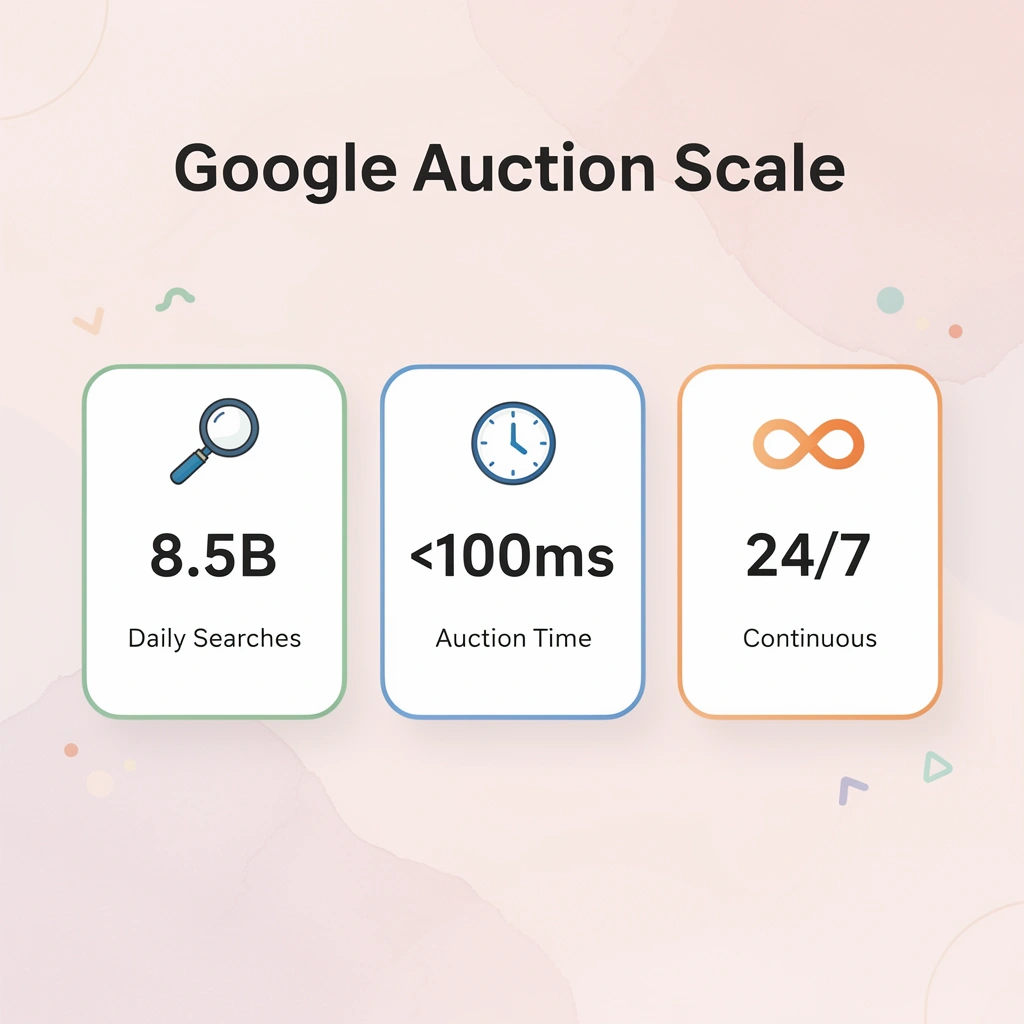
Warning: Many advertisers mistakenly believe automation reviews their campaigns on a schedule - in reality, it's making bid adjustments for every single auction your ads enter.
What happens during each auction millisecond?
When someone searches for your keyword, automation analyzes what the user wants, what device they're using, their purchase likelihood based on history, how similar audiences have acted, and the level of competition—all in milliseconds. It then decides how much to bid before the auction ends. No one needs to check a dashboard or approve the decision. It happens instantly, then moves to the next auction.
Why do most advertisers misunderstand automation's role?
This is the thinking shift most advertisers miss: automation doesn't help your optimization process—it replaces the entire manual iteration cycle with real-time adjustment loops operating at a speed and scale no human can replicate. According to Adspirer's 2025 automation research, 80% of Google Ads accounts use some form of automated bidding, yet most advertisers treat it as a helper tool rather than a fundamental replacement for manual management. This gap creates unrealistic expectations about what automation should do and how much control you retain.
How do automation systems process contextual signals in real time?
Every auction processes hundreds of contextual signals simultaneously: time of day, geographic location, previous site interactions, seasonal patterns, and competitor bid density. Manual management cannot handle this complexity. By the time you pull a report showing yesterday's performance by hour and device, thousands of auctions have already closed under different conditions.
What creates the continuous feedback loop in automated bidding?
Automation systems monitor these signals in real time, identifying patterns as they occur—such as mobile conversions dropping after 9 PM or certain ZIP codes converting at half the rate of others—and adjusting bids immediately. This creates a feedback loop that tightens with each auction: performance data feeds directly into the next bidding decision without human interpretation.
How does dynamic budget reallocation work in practice?
Dynamic budget reallocation happens automatically based on performance probability, not fixed daily caps set weeks ago. If one campaign shows stronger conversion signals during a specific hour, the system shifts budget toward it without waiting for you to notice the trend.
Automated keyword expansion or restriction responds to conversion likelihood in real time. Keywords attracting low-intent traffic get bid down or paused before appearing in a search terms report. Creative rotation adapts based on signals of engagement decay rather than arbitrary testing schedules.
Why does unified decision-making matter more than isolated features?
These features work together: money flows toward high-converting placements while simultaneously cutting spending on underperforming ones and introducing fresh creative when engagement metrics indicate audience fatigue.
The system works as a single connected decision engine, not as separate automation rules.
What determines whether automation actually scales your results?
Most teams managing multiple accounts simultaneously discover that automation tools can optimize 50+ accounts in the time it takes to manage one manually. The constraint is no longer processing capacity.
It's whether you trust the system enough to let it execute without constant oversight, and whether you've structured your conversion tracking and business rules clearly enough that the automation optimizes toward outcomes that matter for your business.
Tools like Bud's AI agent represent the next evolution: rather than configuring automation rules through dashboards, you describe what you want in natural language, and Bud translates intent into execution across your entire campaign infrastructure.
But here's what nobody mentions when discussing which tools perform best.
10 Best Google Ads Automation Tools for Scaling Campaign Performance in 2026
These automation tools control specific parts of your campaign workflow, removing clear manual bottlenecks. Some handle bid management and budget pacing; others automate keyword expansion or landing page creation. A few focus entirely on account auditing and quality control. Understanding what each tool does and which bottleneck it removes matters more than chasing feature lists.

Key Point: Focus on identifying your biggest manual bottlenecks before selecting automation tools—the right tool solves your specific operational pain point.
"Understanding what each tool does and which bottleneck it removes matters more than chasing feature lists when scaling Google Ads campaigns."
The tools below solve operational problems at scale. Each entry answers: What part of the execution layer does it control? What manual bottleneck does it remove? Who should use it? What are the tradeoffs? This is a functional map of how different teams solve different scaling problems.
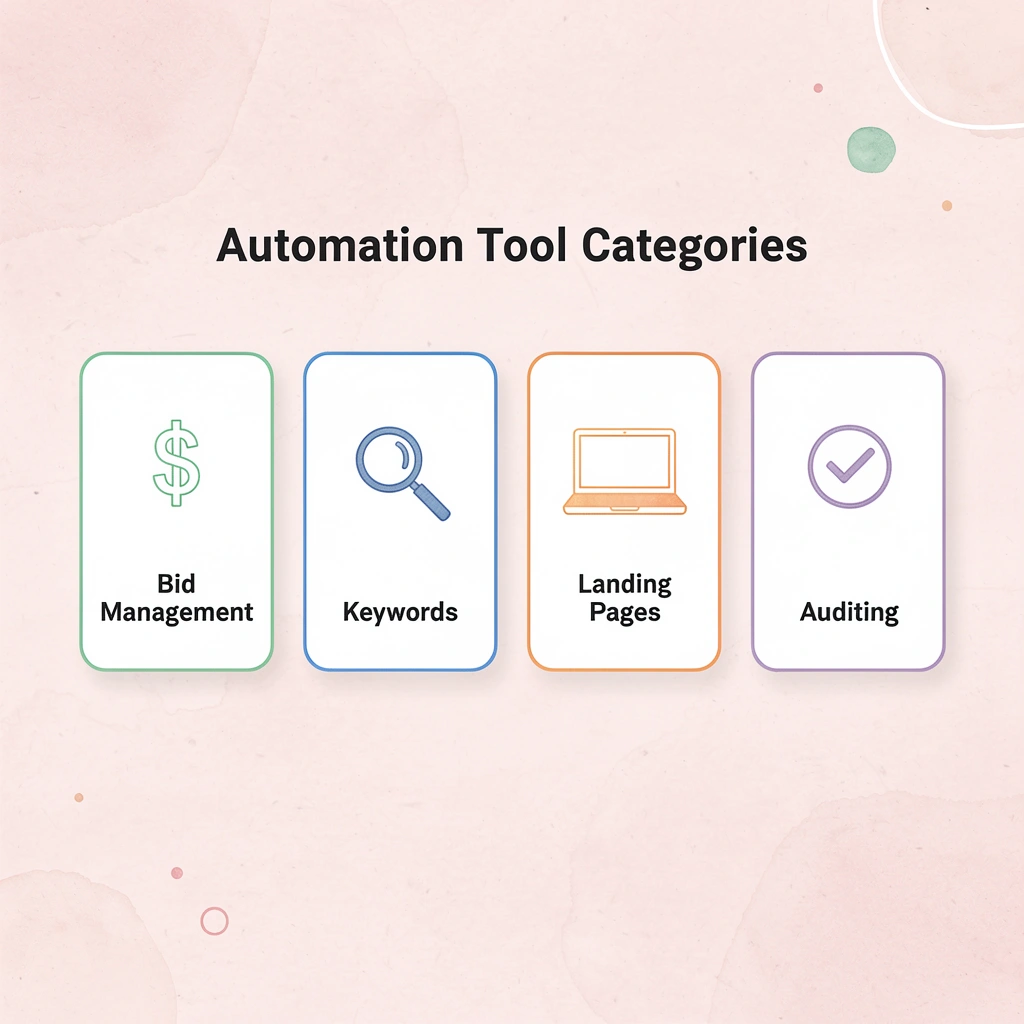
Tip: Evaluate each tool based on your team's current manual workload—the best automation tool is the one that eliminates your most time-consuming repetitive tasks.
1. Bud
Tired of switching between tabs, copying data, and repeating tasks? Bud is the first AI agent with full computer access: it navigates websites, fills forms, pulls data, and completes multi-step workflows as you would. From Bloomberg Terminal analysis to GitHub tickets to QA testing, our AI agent handles the hard work while you focus on what matters. Try Bud's AI agent today.
What it controls
Multi-step workflow execution across your entire digital workspace.
Bottleneck removed
Manual context switching and data transfer between disconnected tools.
Who it's for
Teams running complex operations across multiple platforms require constant manual coordination.
Pros
Full computer access, handles tasks most automation cannot, natural language interface eliminates complex setup.
Cons
Requires trust in AI decision-making; the technology is new and its capabilities are evolving.
2. Ryze AI
Ryze AI handles end-to-end Google Ads optimization, including bid management, keyword expansion, ad copy testing, budget allocation, and cross-platform coordination. It uses proprietary machine-learning algorithms trained on $500M+ in ad-spend data. The system manages campaigns 24/7 with built-in guardrails to prevent overspending. Pricing begins with a free trial, then scales based on ad spend volume.
What it controls
Complete campaign optimization from keyword selection through conversion tracking.
Bottleneck removed
Daily bid, budget, and campaign adjustments that would otherwise require constant hands-on management.
Who it's for
Businesses seeking automatic advertising without managing PPC skills in-house.
Pros
Complete automation that learns from vast amounts of data, continuous 24/7 improvements, and spending guardrails that prevent overspending.
Cons
Less detailed control for hands-on advertisers; pricing increases with spending.
3. dynares
Most Google Ads automation focuses on bid management. Dynares is an AI-first platform that automates the entire paid search workflow, from keyword research to conversion-optimized landing pages. This end-to-end approach suits teams scaling personalized campaigns without developer bottlenecks.
Give the AI your brand guidelines and target keywords, and it generates thousands of coordinated ads and keyword-specific landing pages instantly. This tight ad-to-page relevance boosts Quality Score, conversion rates, and ROAS by solving paid search's biggest bottleneck: creating enough relevant landing pages to match campaign granularity.
What it controls
Coordinated ad and landing page creation with automated A/B testing and conversion value tracking.
Bottleneck removed
Landing page production that cannot keep pace with campaign granularity.
Key features
AI Auto A/B Testing continuously analyzes performance and keeps winning variants live. Automated conversion value upload sends revenue data back to Google Ads, enabling optimization for actual business impact instead of vanity metrics—essential for ROAS-focused businesses. Seamless Google Ads integration also connects with Google Tag Manager and HubSpot.
Who it's for
Teams focused on performance, PPC managers, agencies, and smaller growth teams who understand that conversion rate optimization (CRO) matters as much as click-through rate (CTR). If you're tired of sending all your traffic to the same landing pages, Dynares lets you create detailed strategies at scale.
Pricing
Dynares uses tiered pricing based on usage and landing-page volume. Check the vendor's current pricing directly before committing, especially if you plan to scale campaigns across many products or audiences.
Pros
Scales personalized campaign creation effectively, optimizes for revenue, and includes built-in A/B testing.
Cons
Requires human review to ensure brand alignment, and costs increase for agencies managing hundreds of pages.
4. Google Ads Scripts
If you're comfortable with code and want total control without paying for another SaaS subscription, Google Ads Scripts are your best choice. This free, built-in environment lives inside your Google Ads account and uses JavaScript to build custom automations: from pausing underperforming ads to creating sophisticated bid rules that standard smart bidding cannot handle.
The power is flexibility. You can connect scripts to Google Sheets to manage keywords or ad copy in bulk, send custom email alerts when CPCs spike, or pull data from external APIs. It's a direct line to the Google Ads API without building a full application, making it one of the most powerful Google Ads automation tools available.
What it controls
Custom automation logic for any campaign element accessible via JavaScript.
Bottleneck removed
You no longer need third-party tools for specialized automation needs.
Key features
Browser-based IDE for writing and running scripts directly in the interface, Manager Account (MCC) support to run scripts across multiple accounts, and external data integration with Google Sheets and APIs.
My take
This is the best do-it-yourself solution. The main problem is that you need to know or learn basic JavaScript. If you're not a coder, this isn't for you. But if you have developer skills, the possibilities are nearly endless. Thousands of free scripts online provide great starting points. The biggest benefit is avoiding vendor lock-in: your automations are yours, forever.
5. Google Ads API
The Google Ads API is the most powerful way to interact with your Google Ads account, offering direct programmatic access to build custom, enterprise-grade solutions. It's a foundation for in-house engineering teams, SaaS companies, and large agencies to create their own Google Ads automation tools from scratch.
With the API, you can build anything from a custom bidding platform using your own business data to a workflow tool that automatically generates campaigns based on product inventory. Large-scale advertisers use it to manage millions of keywords, and third-party platforms use it to connect to Google Ads, providing control and scalability that off-the-shelf software cannot match.
What it controls
Complete programmatic access to every campaign element and data point.
Bottleneck removed
Pre-built tools often cannot handle proprietary business logic.
Key features
Full Create, Read, Update, and Delete (CRUD) access to all campaign elements. Reliable offline conversion imports enhance tracking and optimization. Official client libraries in Java, Python, and PHP accelerate development.
Pricing
API access is free, but high costs apply to engineering resources, development time, and ongoing maintenance.
My take
This is not for the average PPC manager or small business. The Google Ads API requires serious engineering commitment: developers, a clear roadmap, and a business case that justifies the investment. If you're managing substantial ad spending or building a commercial tool, it's the only viable option. For everyone else, it's like buying a jet engine when you need a car. The real power lies in creating a competitive advantage through automation that rivals cannot replicate.
6. Search Ads 360
Search Ads 360 is the control center for large advertisers managing spending across Google Ads, Microsoft Advertising, and more. As part of the Google Marketing Platform, it offers portfolio bidding strategies that improve blended CPA or ROAS across all search efforts, not just within Google's ecosystem.
Its power lies in bringing together your entire search ecosystem. You can manage budgets, control spending pace, and build campaigns from inventory feeds that automatically update ads across different platforms. This integration makes it one of the most advanced Google Ads automation tools for advertisers managing complex, large-scale search programs.
What it controls
Cross-platform portfolio bidding and unified campaign management across multiple search engines.
Bottleneck removed
Fragmented optimization when running significant spend across Google and Microsoft simultaneously.
Key features
Portfolio bidding uses Smart Bidding across multiple search engines to hit a single performance target. Its inventory management automates campaign and ad creation from business data feeds. The Performance Center enables budget planning and result forecasting.
Pricing
This is an enterprise product with sales-led pricing based on a percentage of your ad spend.
My take
This is overkill for 95% of advertisers. It's complicated, expensive, and requires a dedicated team. For the top 5%—large agencies and enterprise brands—it's essential. A single bid strategy across Google and Microsoft significantly improves efficiency. If you're managing millions in ad spending and struggling with cross-platform attribution and optimization, this solves that problem. For those still learning the basics, focus on improving Google Ads performance at the campaign level first.
7. Optmyzr
Optmyzr is a complete PPC platform for agencies and in-house teams managing large ad spending. It operates as an operational layer on top of Google and Microsoft Ads, offering PPC experts-built optimization tools, reporting, and workflow automation.
Its main strength is the Rule Engine, which lets you build and schedule custom optimization workflows without code. You can automate keyword management, budget pacing alerts, and more. For e-commerce or inventory-based businesses, the Campaign Automator is particularly powerful: it automatically turns product feeds into highly structured campaigns, making it one of the most comprehensive Google Ads automation tools for scaling complex account structures.
What it controls
Custom optimization workflows, feed-based campaign creation, and multi-account management.
Bottleneck removed
Manual optimization checks and campaign structure maintenance across high-spend accounts.
Key features
The Rule Engine builds sophisticated automations for bids, budgets, and keywords without code. The Campaign Automator creates and syncs campaigns from data feeds. Agency-focused tools manage multiple client accounts simultaneously.
Pricing
Optmyzr's pricing is based on monthly ad spend, starting at $249/month for the Lite plan. Pro and Enterprise tiers include advanced features and support, with add-ons such as the Campaign Automator available for an additional fee.
My take
Optmyzr is enterprise-grade and not for casual PPC users. The learning curve is steep, but onboarding and support are solid. For agencies, the time saved on manual checks and reporting justifies the cost. If you're managing multiple high-spend accounts, this system delivers a real competitive advantage. The biggest downside is cost, which scales with your spend and the number of added features.
8. Adalysis
Adalysis is your always-on auditor for PPC accounts. While other tools focus on building campaigns or complex bidding, Adalysis finds and fixes the thousands of tiny issues that hurt performance over time. It runs over 100 automated checks to keep your accounts in top shape.
This platform converts complex data into a prioritized to-do list with one-click fixes, offering a workflow designed for busy agencies and in-house teams maintaining high standards across multiple accounts.
What it controls
Account health monitoring, ad testing, and structured optimization workflows.
Bottleneck removed
Manual account audits and quality control checks that consumed hours weekly.
Key features
Performance Monitor runs over 100 automated checks and provides weekly health summaries. Ad testing tools include n-gram analysis to identify winning phrases. You can create white-label reports and set custom alerts for performance changes.
Pricing
Tiered pricing based on monthly ad spend, starting at $99/month for up to $10k in spend. All plans include unlimited user and client accounts, a major advantage for agencies. A 14-day free trial is available.
My take
Adalysis is my go-to tool for sanity checks and structured optimization. It's not for building massive shopping campaigns from feeds, but it excels at keeping existing campaigns lean and effective. It identifies problems, explains their impact, and provides fixes—a significant time-saver. The main limitation is its scope: it's an optimization and auditing tool, not a full-suite campaign builder. If your biggest challenge is account hygiene and gradual improvement rather than campaign creation, Adalysis is worthwhile.
9. Opteo
Opteo prioritizes speed and efficiency over customization. It provides ongoing, smart recommendations to improve your Google Ads performance, identifying keyword conflicts, budget pacing issues, and weak ad copy, with one-click fixes.
The platform centers on a simple Improvements workflow: log in, review a prioritized task list, and push changes live in seconds. This suits lean teams and agencies managing multiple accounts that lack the capacity for daily manual audits.
What it controls
Suggestions for improvements you can implement with a single click.
Bottleneck removed
The time required to find improvement opportunities across multiple accounts.
Key features
More than 40 one-click improvements. Budget pacing tools with Slack or email alerts for unusual activity. Performance dashboards for quick account monitoring.
Pricing
A tiered pricing model starting at $99 per month for up to $50k in ad spending, scaling upward for agencies and larger advertisers.
My take
Opteo excels at saving time for busy PPC managers who prefer simple tools over detailed control. The clean design delivers value within minutes of connecting your account. The main limitation is its Google Ads-only focus; you'll need another tool to automate across multiple channels (Microsoft Ads, social). For managing Google Ads alone, particularly at agencies, the speed and simplicity are hard to beat.
10. TrueClicks
If your main goal is governance and quality control rather than campaign creation, TrueClicks is a unique player. It acts as an always-on auditing and monitoring layer for your Google and Microsoft Ads accounts, focusing on catching errors, preventing wasted spend, and ensuring best practices are followed. Think of it less as a builder and more as a smart, automated account supervisor.
How does TrueClicks improve account monitoring?
It continuously scores your account's health against dozens of checks, alerting you to issues such as conflicting negative keywords, broken URLs, or poor budget pacing. This proactive monitoring makes it one of the most practical Google Ads automation tools for agencies managing multiple accounts or in-house teams pursuing operational excellence.
What it controls
Automated account auditing and performance monitoring across Google and Microsoft Ads.
Bottleneck removed
Manual quality assurance checks and error detection across multiple accounts.
Key features
It automatically scans accounts for over 60 potential issues.
Stop Manually Executing Repetitive Work Across Tabs and Tools
You've seen how different automation tools handle specific execution layers: bid optimization, keyword management, account auditing, and landing page creation. Each removes a distinct manual bottleneck within Google Ads itself. But most operational latency doesn't occur within a single platform—it occurs between them. You pull campaign data from Google Ads, paste it into a spreadsheet, format it for your reporting tool, update your CRM with lead quality notes, then adjust budgets based on your analysis. The tools are automated. The gaps between them aren't.

Key Point: The real productivity killer isn't manual work within platforms—it's the constant switching and reformatting between disconnected tools that eats up your time.
That's where execution systems like Bud operate differently. Instead of automating within a single platform's boundaries, Bud handles the entire workflow across your workspace. The system executes each step sequentially without requiring API connections or integration logic. It operates at the interface level, the way you do, which means it can handle workflows spanning disconnected tools without requiring those tools to communicate technically.
Most automation fails at the handoff points. You can automate bid adjustments inside Google Ads and automate report generation inside your analytics platform, but someone still has to manually transfer context between them. That manual coordination layer is where time disappears—not in five-hour blocks, but in accumulated friction of switching contexts, reformatting data, and executing repetitive sequences across platform boundaries. When managing multiple accounts or running complex reporting workflows, those micro-tasks compound into hours of operational overhead weekly.
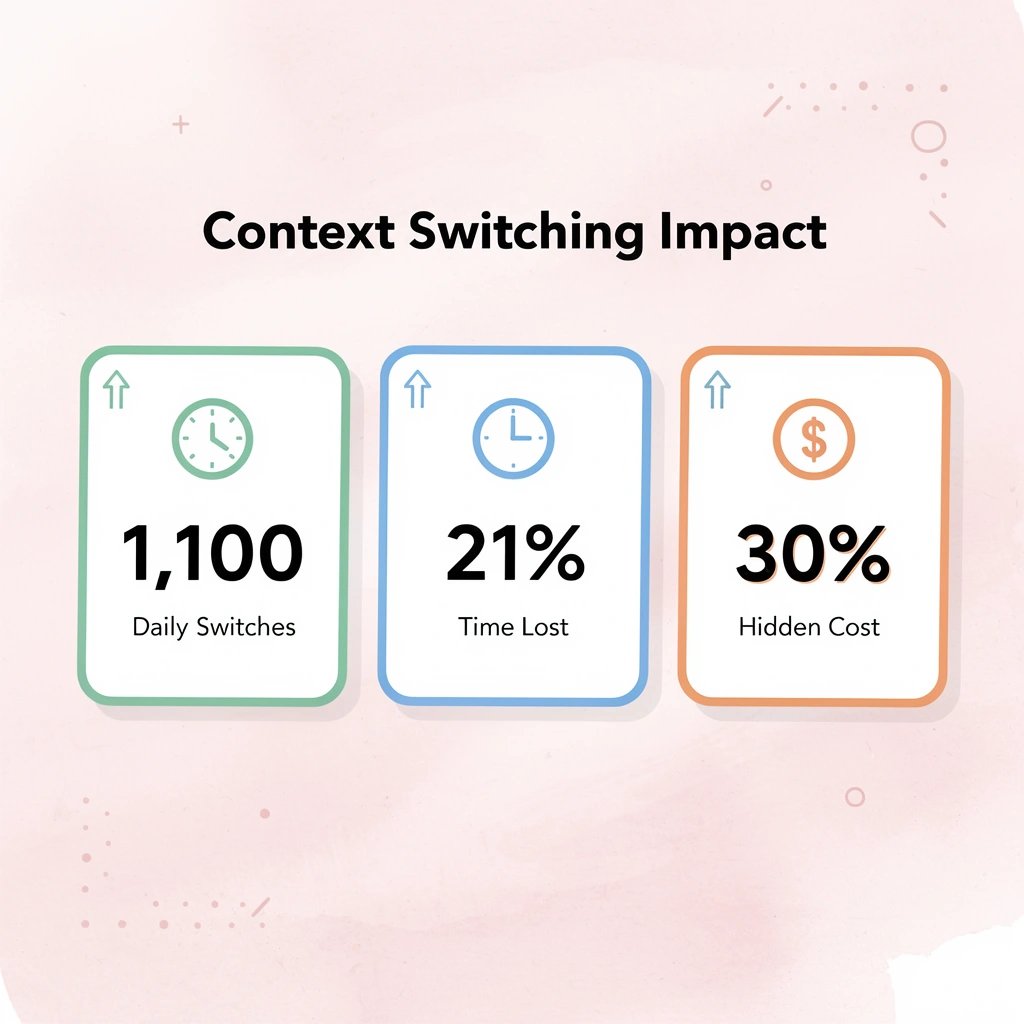
Warning: Don't underestimate the hidden cost of context switching. Those seemingly quick 2-3 minute transitions between tools can consume 25-30% of your productive work time.
| Task-Specific Automation | Full-Environment Execution |
|---|---|
| Optimizes within a single platform | Executes across the entire workflow |
| Requires manual handoffs | Handles all transition points |
| Creates automation silos | Connects disconnected tools |
| Partial job completion | End-to-end process execution |
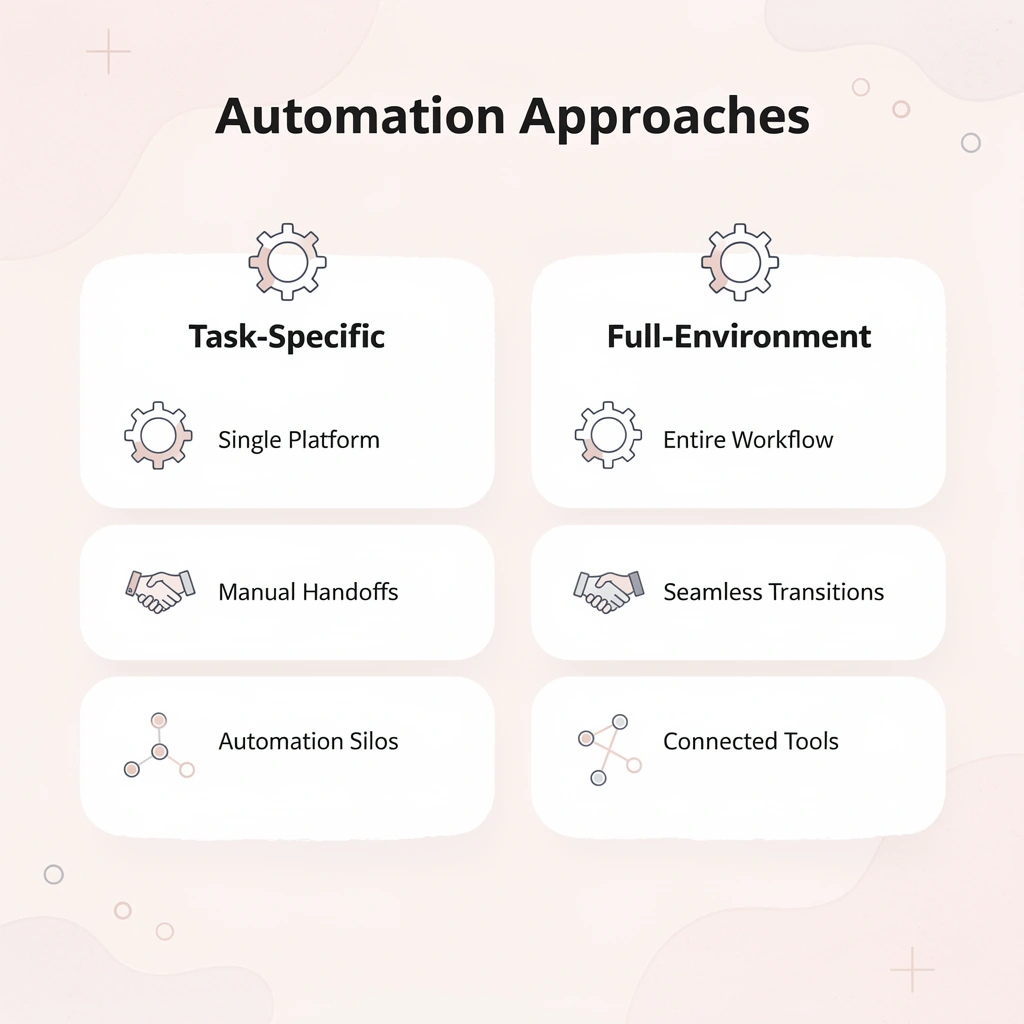
The difference between task-specific automation and full-environment execution is whether the system can complete the entire job or only part of it. A bid management tool optimizes your campaigns but doesn't pull that data into your client report, update your project management system, or coordinate next steps across your team's workflow. Systems with full computer access remove that coordination layer entirely, executing multi-step processes end-to-end without connecting separate automation silos.
If campaign management is one piece of a larger workflow involving reporting, client communication, budget approvals, and cross-platform coordination, the bottleneck isn't whether each tool offers automation. It's whether you remain the integration layer connecting them, or whether execution can run continuously across your entire operational environment without manual intervention at each transition point.