14 Best Lark Alternatives for Smarter Work and Team Communication
Teams often outgrow their collaboration platforms when features don't align with evolving workflow needs. Lark may fall short in areas such as project management depth, integration capabilities, or communication preferences that align with your organization's specific requirements. Finding the right alternative requires evaluating tools that genuinely enhance team productivity rather than simply replacing existing functionality.
The best Lark alternatives combine robust communication features with flexible project management and seamless integrations. Rather than manually comparing dozens of platforms across different categories, teams can streamline their search with targeted recommendations. Bud's AI agent analyzes your specific workflow requirements and suggests collaboration solutions tailored to your team's size, industry, and communication preferences.
Table of Contents
- Why People Look for Lark Alternatives in the First Place
- 14 Best Lark Alternatives Compared by Use Case and Team Needs
- How to Choose the Right Lark Alternative for Your Workflow
- The Real Reason Teams Switch Tools Is Workflow Execution, Not Features
Summary
- Teams switching from all-in-one platforms typically use only 40% of the available features and still need external tools for specialized work. The mismatch isn't about missing functionality. It's about platforms that attempt to serve every workflow simultaneously, creating interface complexity that makes basic tasks require navigating tools teams never use. The learning curve stems from breadth, not poor design.
- Integration gaps create compounding friction for teams relying on external CRM systems, marketing automation platforms, or specialized analytics tools. When seamless data flow between platforms matters, every manual export and duplicate data entry creates small delays that add up to hours lost each week. Platforms prioritizing internal feature completeness over third-party connectivity fit certain tech stacks better than others, making ecosystem architecture a primary selection factor rather than feature count.
- The January 18, 2025, U.S. ban on Lark under the Protecting Americans from Foreign Adversary Controlled Applications Act forced immediate migration for thousands of teams overnight. Regulatory shifts and data residency requirements drive platform decisions for organizations in healthcare, finance, and government contracting, where compliance standards determine market access. Privacy concerns reflect legal obligations, not theoretical risks.
- Focused collaboration tools outperform comprehensive suites in specific use cases. Speakwise achieves 95% transcription accuracy across 50+ languages with AirPods hands-free recording, where 85% of users cite frictionless capture as their top feature. Specialized depth in one workflow step (capturing meeting insights without manual note-taking) removes more friction than shallow coverage across ten features for mobile professionals and consultants.
- Communication complexity mismatch creates tool sprawl worse than feature gaps. Teams juggling simple direct messaging, multi-channel coordination, and structured async communication across separate platforms (Slack for quick questions, email for approvals, shared drives for documentation, Zoom for nuance) fragment information and waste time asking "where did we discuss this?" The right tool matches existing communication patterns rather than forcing adaptation to a predetermined structure.
- AI agent addresses workflow execution gaps by using computer access, a browser, and a phone number to autonomously complete multi-step tasks such as data extraction, form filling, and GitHub updates that collaboration platforms only help humans organize.
Why People Look for Lark Alternatives in the First Place
You're searching for Lark alternatives because it doesn't match how your team actually works. Lark offers messaging, video calls, document collaboration, calendar management, and project tracking in one place. For some teams, that integration works well. For others, it creates problems: your workflow may need deep expertise in one area rather than basic coverage across many.

Key Point: The mismatch becomes clear when you need more structure than Lark's project management gives you, or when you need simpler communication without dealing with features you don't use. Teams that grow beyond a certain size discover that all-in-one platforms trade specialized performance for integration convenience.
"Teams discover that all-in-one platforms trade specialized performance for integration convenience as they scale beyond basic collaboration needs."
Warning: When your team outgrows Lark's capabilities, you'll face the choice between accepting limitations or finding specialized tools that excel in specific areas rather than offering basic functionality across multiple domains.
Why does feature breadth become overwhelming for teams?
Lark puts everything into one platform, which sounds good until your team spends fifteen minutes looking for a file-sharing permission setting buried three menus deep. The steep learning curve stems from the platform attempting to accommodate every workflow simultaneously.
New team members face a confusing interface that requires navigating tools they'll never use. According to Gartner Peer Insights reviews from 2024, users frequently cite interface complexity and stability issues that disrupt daily workflows, particularly when managing large-group projects.
When do complex features create unnecessary friction?
For teams that need to share files quickly or assign simple tasks, Lark's detailed permission systems and numerous features can add unnecessary complexity. Sometimes you want to share a document without setting up different access levels.
The integration wall
Lark operates within a relatively closed ecosystem. If your team relies heavily on external CRM systems, marketing automation platforms, or specialized analytics tools, you'll encounter integration gaps requiring manual workarounds or custom API development. Slack and Microsoft Teams built their ecosystems around third-party connectivity; Lark prioritized internal feature completeness instead. Neither approach is wrong, but one fits certain tech stacks better than others.
When your workflow depends on seamless data flow between platforms, integration limitations compound daily. Manual exports, duplicated data entry, and context switches between systems create small delays that accumulate into hours lost each week.
The data governance question
ByteDance's ownership raises concerns for organizations with strict data residency requirements or regulatory obligations. Some companies prohibit Lark entirely due to security policies, particularly in healthcare, finance, and government contracting.
On 18 January 2025, the United States banned Lark and all ByteDance applications under the Protecting Americans from Foreign Adversary Controlled Applications Act, making the platform unavailable to American users. This regulatory change forced thousands of teams to migrate to alternative platforms.
Privacy concerns aren't about paranoia—they're about meeting compliance standards that determine whether your organization can legally operate in certain markets or serve specific client groups.
Should you focus on better coordination tools or fewer coordination needs?
But here's what most teams miss: you might not need a better tool for organizing human workers. You might need fewer human workers handling organizing tasks. Our AI agent operates on its own computer, browser, and phone number to independently execute tasks such as scheduling, data entry, and workflow routing that collaboration platforms merely help humans organize. Bud's AI agent can handle these workflows autonomously, freeing your team from repetitive work.
Some teams are shifting work from human organizing to autonomous execution. The question isn't which platform fits your workflow better, but whether you're solving the right problem.
14 Best Lark Alternatives Compared by Use Case and Team Needs
The right choice depends on your specific needs: real-time messaging and video calls, project visibility and task tracking, or AI agents that execute tasks independently. Our AI agents help teams automate repetitive work, so your team can focus on what matters most.

Most teams choose all-in-one platforms because they're simple, but Larksuite Blog's analysis of collaboration solutions found that teams use only 40% of features in comprehensive platforms while needing outside tools for specialized work. The question isn't which suite has the most features, but which tool matches how your team works.
Tip: Before choosing a Lark alternative, audit your team's actual workflow patterns. Track which communication channels, file types, and collaboration features your team uses daily versus occasionally.
Takeaway: The best platform isn't the one with the most features - it's the one that eliminates friction in your team's core workflows while integrating seamlessly with your existing tools.
| Platform Type | Best For | Key Strength | Potential Drawback |
|---|---|---|---|
| All-in-One Suites | Small to medium teams | Unified experience | Feature bloat |
| Specialized Tools | Expert workflows | Deep functionality | Integration complexity |
| AI-Powered Platforms | Automation-focused teams | Task execution | Learning curve |

1. Bud AI Agent That Executes Work Autonomously
Tired of switching between tabs, copying information, and repeating the same tasks across different apps? Bud is the first AI agent with full computer access, enabling it to navigate websites, fill out forms, pull data, and complete multi-step workflows as you would. From Bloomberg Terminal analysis to GitHub tickets to QA testing, Bud handles the hard work while you focus on what matters.
Why Choose Bud Over Lark
Lark helps teams coordinate work. Bud executes it. Rather than messaging someone to pull a report or update a spreadsheet, our AI agent operates in its own browser and on its own computer to complete the task independently, eliminating the need for certain types of teamwork.
Key Capabilities
Full computer access means Bud can navigate interfaces, click buttons, fill out forms, and pull data from any web application without needing APIs. It handles Bloomberg Terminal questions, GitHub issue management, QA testing workflows, and data entry tasks. The agent operates independently with its own phone number and Telegram access for communication.
When to Choose Bud
You spend hours on repetitive tasks across different platforms, like pulling data, filling in forms, or sending work to the right place. Your team needs work executed, not organized. You want to reduce manual labor without sacrificing accuracy.
When Not to Choose Bud
You need team messaging and video conferencing. Your focus is on collaborating on documents rather than completing tasks, and your workflows don't involve repetitive actions across multiple platforms.
2. Speakwise Capturing Meeting Insights on iOS
Speakwise solves one critical problem: capturing what happens in meetings and conversations. Record with one tap on iPhone, get AI-powered transcripts and summaries, and sync everything to Notion. With a 4.9-star App Store rating and 95%+ transcription accuracy across 50+ languages, it transforms every conversation into actionable notes.
Lark tries to be everything. Speakwise focuses on the moment that matters most: when important information is spoken and needs to be captured. For consultants, freelancers, and mobile professionals attending in-person meetings, this focused approach delivers more value than an all-in-one suite.
Why Choose Speakwise Over Lark
Doing one thing well beats trying to do too many things. Speakwise does one thing well: capture voice, get AI summaries, and sync to Notion. Lark records video meetings; Speakwise records any conversation, anywhere, with AirPods hands-free and no laptop needed.
Privacy-first design keeps sensitive conversations on your iPhone. On-device processing ensures no data leaves your device unless you choose to sync, with meeting insights flowing directly into your Notion workspace.
Key Features
AirPods Hands-Free Recording captures in-person meetings without visible equipment. According to Speakwise user surveys, 85% of users cite this as their top feature for client-facing conversations. Advanced noise cancellation and speaker separation deliver consistent 95%+ transcription accuracy across conference rooms, coffee shops, and outdoor environments.
Every recording generates structured key points, decisions, and tasks, with 94% accuracy in action-item extraction. Automatic language detection with dialect recognition supports international teams across Spanish, French, German, Mandarin, Japanese, Arabic, and 48 additional languages.
Pricing
A free trial gives you full access to all features. Premium costs $59.99 per year and unlocks unlimited transcription, AI summaries, Notion sync, and complete language support.
When to Choose Speakwise
You attend frequent in-person meetings and need to capture important ideas without interrupting the conversation. You want meeting notes without typing while people talk. You use Notion and need automatic syncing. Privacy matters for client conversations. You need multilingual transcription for international work.
When Not to Choose Speakwise
You need a complete set of tools that work together, including chat and video calls. You manage large teams that require shared workspaces. You use only Android devices. You need business-level admin controls and user management capabilities.
3. Saner.AI: AI Second Brain for Personal Productivity
Saner.AI brings together notes, tasks, email, and calendar into one workspace designed to reduce context switching. It organizes information automatically and functions as a personal AI second brain, making it an ideal choice for individuals or small teams seeking a smarter alternative to traditional all-in-one suites.
Key Features
Proactive planning automatically gives you an optimal day plan every morning. The AI assistant, Skai, auto-organizes notes, tasks, and documents without manual filing. Semantic and natural-language search works across everything you've captured, letting you find ideas without exact keywords.
Cross-platform access spans web, mobile apps, and browser extensions. Integrations connect email, calendar, and cloud storage. Multi-format capture supports voice notes, quick notes via browser extension, file uploads, and mobile input. The system automatically extracts tasks from notes and emails to support daily planning.
What Works
Search feels fast and easy to use without requiring exact wording. The platform converts random thoughts into actionable tasks and helps people who feel overwhelmed or struggle with organization. Pricing remains affordable compared to paying for multiple separate tools.
Limitations
Not ideal for large teams or project timelines, as it focuses on personal productivity rather than team coordination.
Pricing
The free plan includes the main features with usage limits. Paid plans range from $8 to $16 per month and offer unlimited notes, full access to AI tools, integrations, and additional features.
Who Should Use It
It works well for people with ADHD or those who get overwhelmed easily, knowledge workers, students, researchers who handle large amounts of information, and solopreneurs or small teams seeking an AI workspace.
Why It Works as a Lark Alternative
Lark focuses on team chat, meetings, and collaboration. Saner.AI focuses on personal productivity, knowledge management, and planning. Choose it when you want an AI-powered organization rather than communication tools.
4. Monday Visual Work Management Platform
Monday.com helps you organize projects, tasks, processes, and workflows using customizable boards, automations, and integrations. It focuses on visual project management rather than messaging, making it useful for replacing parts of Lark's workspace when you need clear task visibility over real-time chat.
Key Features
You can customize boards to track tasks, deadlines, ownership, and workflows. A library of templates covers project management, CRM, content planning, and operations. It integrates with Slack, Gmail, Google Drive, Jira, and more. View your work in Kanban, timeline, Gantt, calendar, workload, and table formats.
Strengths
The structure adapts flexibly to different team workflows. Templates save setup time. Visual views—timeline, Gantt, and workload—clarify who is doing what and when.
Weaknesses
Real-time communication isn't built in, so it requires separate chat tools. It functions as a project and work system rather than an all-in-one collaboration suite. Smaller teams may find the higher tiers expensive as they grow.
Pricing
Basic plan: ~$49/month. Standard plan: ~$79/month. Pro plan: ~$119/month.
Suitable For
Teams that focus on tracking tasks, managing project workflows, and organizing work in a structured way need tools to clarify responsibility, deadlines, and progress. Companies benefit from one central place to manage projects, especially when using multiple chat or document tools.
5. Coda Flexible All-in-One Workspace
Coda combines documents, spreadsheets, databases, and lightweight apps into a single canvas, replacing scattered docs and tools with one customizable system.
Key Features
Unified docs function as documents, spreadsheets, and apps simultaneously. Relational tables and formulas let you model complex workflows without switching tools. A large template library covers meeting notes, roadmaps, CRMs, and team hubs. Packs integrate external tools like calendars, email, project trackers, and data sources.
Strengths
The flexible structure lets you build docs, trackers, CRMs, or lightweight apps without switching tools. Templates accelerate setup and reduce the need to build from scratch. It's ideal for teams seeking customization without technical skills.
Weaknesses
Not a full communication suite: no built-in chat or video calls like Lark. Formulas, relational tables, and customization require a learning curve. The free plan limits automations and integrations.
Pricing
Free plan available. Paid plans start at $12 per user monthly.
Suitable For
Teams seeking a customizable workspace for docs, data, and workflows in one place. Groups replacing multiple tools such as spreadsheets, project boards, wikis, or CRMs. Teams willing to invest setup time upfront for long-term flexibility.
6. Asana Structured Project Management
Asana organizes tasks, deadlines, and workflows with a focus on structured project tracking. It's a strong choice when your priority is project visibility rather than messaging or document collaboration.
Key Features
You can view your projects in multiple ways: List, Board, Timeline, and Calendar. Manage tasks by assigning them to people, setting due dates, creating dependencies, and updating their status. Project reporting, dashboards, and workload tracking provide visibility into progress. You can also connect it to Slack, Google Workspace, Teams, and other collaboration tools.
Strengths
Strong at organizing projects across teams in a structured way. Flexible views accommodate different work styles. Automations reduce manual task updates. Scales well for teams managing multiple projects simultaneously.
Weaknesses
There is no built-in chat, video meetings, or collaborative docs. You'll need to pair it with tools like Slack or Zoom for communication. Advanced features require higher-tier pricing.
Pricing
A free plan is available for small teams. Premium plans start at $10.99 per user per month.
Suitable For
Teams focused on project and task management. Companies use separate tools for chat and meetings. Medium to large teams that need visibility across multiple workflows.
7. Notion Flexible Documentation and Knowledge Base
Notion is an all-in-one workspace for notes, documents, tasks, and project management. Teams use it as an alternative to Lark because it offers strong documentation and workflow flexibility, though it lacks Lark's real-time chat and video features.
Key Features
A flexible block-based editor for notes, docs, wikis, and databases. Project and task management with Kanban, calendar, and list views. A team knowledge base for documentation and onboarding. A large template library that accelerates setup.
Strengths
You can customize it extensively for projects, documents, and personal planning. It organizes information in a structured, scalable way and lets you set things up quickly without building from scratch.
Weaknesses
There is no built-in chat or video calls, making it unsuitable for fast, real-time communication. Teams may struggle to maintain a consistent structure without clear guidelines or designated leadership.
Pricing
Free plan with unlimited pages and blocks. Plus plan: approximately $10 per user monthly (annual billing). Business plan: approximately $20 per user per month (annual billing), with AI features included.
Suitable For
Teams focused on documentation, wikis, and project tracking. People are seeking an all-in-one workspace for notes and tasks. Companies prioritize knowledge management over real-time communication.
8. ClickUp All-in-One Work Platform
ClickUp brings together project management, documents, whiteboards, chat, and automation in one platform. It's a strong alternative to Lark for teams seeking detailed workflow organization and greater project control than messaging-focused platforms provide.
Key Features
A unified workspace brings together tasks, Docs, Whiteboards, and chat in one place. View your projects in multiple ways: List, Board, Gantt, Calendar, and Timeline. Built-in time tracking, dashboards, and reporting provide visibility into project progress. Real-time collaboration enables comments, mentions, chat, and document sharing.
Strengths
Great for teams that need structure, deadlines, and clear workflows. It consolidates tasks, documents, and chat in one place, reducing tool sprawl. You can customize it extensively to match your team's workflow and needs.
Weaknesses
Getting started can feel complicated without special training. The chat, email, and meeting features don't integrate as smoothly as they do in Lark, and initial setup and customization require considerable effort.
Pricing
Free plan available. Paid plans start at $10 per user monthly.
Suitable For
Teams requiring strong project and task management. Agencies, product teams, and operations-focused businesses. Organizations willing to invest setup time for improved long-term structure.
9. Slite Simple Knowledge Management
Slite helps teams organize meeting notes, SOPs, wikis, and internal processes in a shared workspace. Teams often choose it over larger all-in-one tools when they prioritize clear documentation over chat, calls, and complex workflows.
Key Features
A clean editor for writing internal documents, meeting notes, and project specs. An AI assistant provides search, summarization, and writing support. Real-time co-editing, comments, and mentions enable asynchronous collaboration. Collections and folders offer flexible organization.
Strengths
Easy to get started without extensive training. Ideal for creating a straightforward shared knowledge base. Focused on what documentation needs most: clarity and discoverability.
Weaknesses
Documentation-first, not an all-in-one suite like Lark. It lacks built-in chat, calls, and project management. Governance and permissions are more basic than enterprise tools.
Pricing
Free plan available. Paid plans start at $25 monthly.
Suitable For
It suits teams that need documentation, SOPs, meeting notes, or wikis, remote-first teams that rely on asynchronous communication, and startups or small teams seeking a simple, clean knowledge base.
10. Chanty Simple Team Collaboration
Chanty provides a simple platform for team collaboration, making it ideal for small and medium-sized teams. If Lark feels too complicated, Chanty is a solid alternative. It offers messaging, video calls, and task management without unnecessary complexity.
Why Chanty Works
Simplicity stands out. Unlike Lark's feature overload, Chanty keeps things straightforward with chats, video calls, and tasks in one interface. Teams start working immediately without extensive training. Unlimited message history across all plans lets you reference past discussions without the limits of Lark's Starter Plan.
Messaging and video calls run smoothly with minimal setup. Channels and direct messages keep communication organized. Task management integrates seamlessly with Google Drive and Trello, syncing directly within Chanty's interface.
Pricing
The free plan includes basic messaging, video calls, and limited task management. The business plan costs $3 per user each month and adds unlimited message history, advanced integrations, and full task management. The enterprise plan offers custom pricing, premium support, and enhanced security features.
Why It's a Strong Lark Alternative
Chanty gives you the essential tools to work together without unnecessary features. This keeps your work simple and helps you focus on getting things done.
11. Trello
Trello is a visual project management tool built around boards, lists, and cards. It offers a simpler alternative if Lark's feature density feels overwhelming. You create boards for projects, organize work into lists, and move cards through stages as tasks progress.
Why Trello works
The visual simplicity keeps everything visible at a glance: where each task is, who owns it, and what's blocking progress without digging through menus or tabs.
Collaborative boards let team members add comments, attach files, and set due dates directly on cards. The drag-and-drop interface feels natural because it mirrors how people think about moving work forward. New users start contributing within minutes.
Flexibility comes through customization. You can shape boards to fit unique workflows, whether managing a single sprint or coordinating multiple projects. Power-ups extend functionality by connecting Trello with tools like Google Drive, Slack, or Zapier.
The free plan includes unlimited boards, lists, and cards, with up to 10 team boards, enabling small teams to run real projects at no cost. Business Class at $10 per user monthly unlocks advanced integrations, priority support, and larger file attachments. Enterprise plans offer custom pricing with enhanced security and admin controls.
Why it's a strong Lark alternative
Trello works well when you need a visual way to manage tasks, but it lacks built-in communication features. It's ideal for teams who already use Slack or email and want a clean way to track their work. The limitation becomes apparent if you expect integrated chat or video calls: you'll need separate tools for communication. According to Larksuite Blog's analysis of collaboration solutions, teams typically use around 15 collaboration solutions, while Trello deliberately focuses on excelling at one thing rather than performing adequately across many.
12. Basecamp
Basecamp brings team collaboration and project management together in one clean interface. If Lark's many features create complexity, Basecamp offers a simpler alternative by combining communication, task management, and file sharing.
Why Basecamp works
Simplicity defines the experience. Everything you need is in an intuitive interface that requires no training or lengthy onboarding. Communication happens through message boards and group chats called Campfires, while to-do lists keep tasks organized without elaborate workflows.
Team communication stays contained within project-specific Campfires and to-do lists, preventing the notification chaos that plagues more complex platforms.
Task management integrates directly into each project with to-do lists, due dates, and progress tracking, eliminating the need for additional tools. File sharing requires no permission complexity: upload, share, and collaborate without navigating intricate access controls.
Pricing
Basecamp charges a flat rate of $99 per month, regardless of team size. This price includes all features: messaging, task management, file storage, and unlimited users.
Why it's a strong Lark alternative
Basecamp works best for teams that value simplicity over extensive features. The lack of advanced integrations becomes a strength when you want to avoid lengthy setup processes. The tradeoff: Basecamp won't replace your CRM, accounting software, or analytics tools. It keeps your team coordinated, but expects you to use specialized tools for specialized work.
13. Hive
Hive focuses on project management and productivity rather than messaging. While Lark spreads attention across communication, documents, and scheduling, Hive focuses on keeping project work visible and moving forward. Built-in chat supports team communication, but the platform's strength lies in execution, not coordination.
Why Hive works
Project-focused teamwork keeps work in one place. Visual project views—including Gantt charts, Kanban boards, and calendars—make workflows clear by showing dependencies, timelines, and bottlenecks without requiring searches through conversations.
Built-in chat stays simple and useful. You can message directly within projects or connect conversations to specific tasks, eliminating the need to switch between apps.
Automation handles repetitive tasks such as task creation, follow-ups, and routine updates, freeing teams from administrative work.
Time tracking and analytics come standard. Built-in time tracking shows where hours go, while advanced analytics reveal productivity patterns and resource allocation: capabilities Lark lacks natively.
Pricing
The Starter plan is free for up to two users and includes basic project management, chat, and integrations. The Teams plan costs $12 per user per month and adds time tracking, automation, and custom workflows. Enterprise plans offer custom pricing for advanced controls and security.
Why it's a strong Lark alternative
Hive works well for teams that prioritize task completion over centralized workflows. However, it may not suit teams requiring frequent document collaboration or video calls, as Hive integrates these tools rather than providing them natively.
14. Connecteam
Connecteam is designed for mobile and deskless teams. Unlike Lark, which targets traditional office environments with extensive document collaboration and meeting scheduling, Connecteam helps companies manage communication, scheduling, tasks, and training for field workers, shop floor staff, and customer-facing employees.
Why Connecteam works
Mobile-first design matches how teams that work without desks operate. Managers communicate, assign tasks, track hours, and share updates from mobile devices. The interface assumes people are on their feet rather than sitting at desks with multiple monitors.
Centralized communication keeps distributed teams aligned. Company announcements, private chats, and group discussions remain organized and accessible from anywhere, which is essential in retail, logistics, construction, and healthcare, where teams rarely gather in one physical location.
Scheduling and time tracking go beyond basic calendars. Drag-and-drop scheduling, shift reminders, and GPS time tracking provide managers with real-time visibility into team availability and location.
Customizable training and forms support onboarding and compliance. Create courses, checklists, and procedures that keep employees aligned without requiring classroom training.
Pricing
The Small Business plan is free for up to 10 users and includes messaging, task management, and scheduling. The Basic plan costs $29 per month for 30 users and includes time tracking and custom forms. The Advanced plan costs $49 per month for 30 users, with smart scheduling, live GPS tracking, and workflow automation. The Expert plan costs $99 monthly for 30 users and unlocks full customization, analytics, and priority support.
Why it's a strong Lark alternative
Connecteam suits teams that work away from desks and rely on mobile devices. It helps coordinate tasks and communication in one place, focusing on keeping distributed teams aligned and accountable rather than collaborative document editing. If Lark feels too office-centric for field teams, retail staff, or service workers, Connecteam addresses the workflows those teams navigate daily.
How to Choose the Right Lark Alternative for Your Workflow
Most teams compare collaboration tools by examining feature lists and popularity. But the best tool matches how your team works, not the one with the longest feature list.

Key Point: The right Lark alternative isn't about having the most features — it's about having the right features that align with your team's workflow patterns and communication style.
| Evaluation Factor | Why It Matters | Questions to Ask |
|---|---|---|
| Team Size | Different tools scale differently | Do we need enterprise features or simple collaboration? |
| Workflow Type | Async vs sync communication needs | Are we mostly real-time or document-based? |
| Integration Needs | Existing tool ecosystem compatibility | What current tools must connect seamlessly? |
| Budget Constraints | Cost per user vs feature value | What's our maximum spend per team member? |
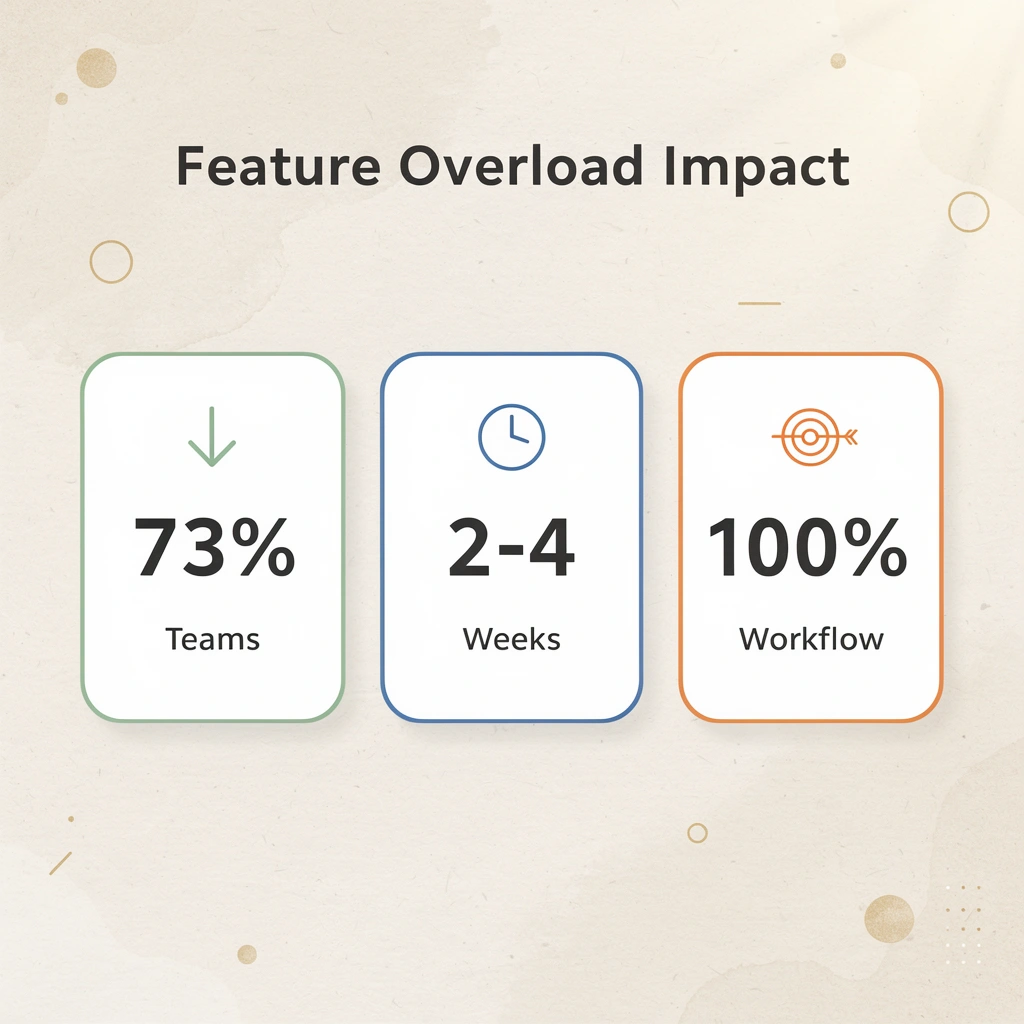
Warning: Don't choose a collaboration platform based on a free trial alone. Most teams need 2-4 weeks of real-world use to determine whether the tool fits their daily workflow and communication patterns.

How do you match tools to the complexity of communication?
Match your communication patterns to the tool's complexity. Simple teams using direct messaging and file sharing need lightweight tools. Multi-channel teams handling client conversations, internal threads, and cross-departmental updates need platforms that organize information without adding unnecessary complexity.
Structured async communication—design reviews, approval chains, documented decisions—requires tools built to preserve context, not accommodate real-time chatter.
What happens when tools don't match communication needs?
Using the wrong tools for your communication complexity causes tool overload. You end up with Slack for quick questions, email for formal approvals, shared drives for documentation, and Zoom for detailed discussions. Each tool becomes its own separate space.
Information gets split across different platforms, and teams spend more time finding past discussions than having new ones.
How deeply should you track work tasks?
Think about how much you need to track your work. Light tracking (simple to-do lists, basic status updates) works for teams working independently. Full project systems, including dependencies, timelines, and resource allocation, work better for teams managing complex deliverables across multiple stakeholders.
What makes integrated workflows effective?
Integrated workflows, where task management connects directly to communication and execution, eliminate the gap between planning and doing.
Speakwise user surveys found that 85% of users cite AirPods Hands-Free Recording as their top feature because it removes friction from a specific workflow step: capturing meeting insights without manual note-taking. The right tool eliminates a friction point in your actual process, not a theoretical one.
How do team size requirements affect tool selection?
Small teams (under 10 people) can work together using almost any tool. Growing organizations (10 to 100 people) need structure, permissions, and searchable message history as informal communication breaks down. Cross-functional coordination at scale (100+ people across multiple departments and external partners) requires enterprise-grade tools with robust admin controls, compliance features, and integration ecosystems.
What breaks teams when choosing collaboration tools?
What breaks teams is choosing a tool that cannot grow with them, then facing a painful migration 18 months later when everything's built into the old system. Bud's AI agent changes this by providing independent execution infrastructure (computer access, browser, phone number) that scales differently than coordination tools. Instead of adding more seats to manage more people coordinating work, our Bud platform lets you add capacity to complete tasks independently.
The best Lark alternative matches how your team operates, supports your existing communication patterns, handles the complexity of your daily tasks, and scales with your growth without forcing a rebuild.
The Real Reason Teams Switch Tools Is Workflow Execution, Not Features
Teams don't leave platforms because they lack features. They leave because too much of the actual work still happens manually, even after adopting tools designed to eliminate it. You can have perfect visibility into tasks, seamless communication across channels, and integrations connecting every app in your stack, but if someone still has to copy data between systems, chase down status updates, or manually trigger the next step in a process, the tool is organizing work, not completing it.
Key Point: The real productivity killer isn't missing features—it's the manual execution layer that most tools leave untouched.

Most platforms position themselves as productivity solutions while quietly requiring humans to remain the execution layer. You set up the workflow, assign the task, and track the progress, but the doing still falls to you. The friction compounds not from missing features, but from how much of your day is spent on repetitive actions that should be automated.
"The shift isn't about adding another tool to your stack. It's about whether you need software that helps people work together or an agent that independently completes the work itself."
That gap is where Bud operates differently. Instead of managing tasks across disconnected tools, Bud functions as an AI agent with access to a full computer environment. It can navigate websites, fill forms, extract and structure data, update systems like GitHub, and complete multi-step workflows the way a human operator would, but faster and without context loss. Our AI agent removes the manual execution layer entirely, not the coordination overhead.
| Traditional Tools | Bud's AI Agent |
|---|---|
| Organize and track work | Completes work autonomously |
| Require manual execution | Eliminates manual steps |
| Team coordinates tasks | Agent executes independently |
| Manage workflows | Runs workflows end-to-end |
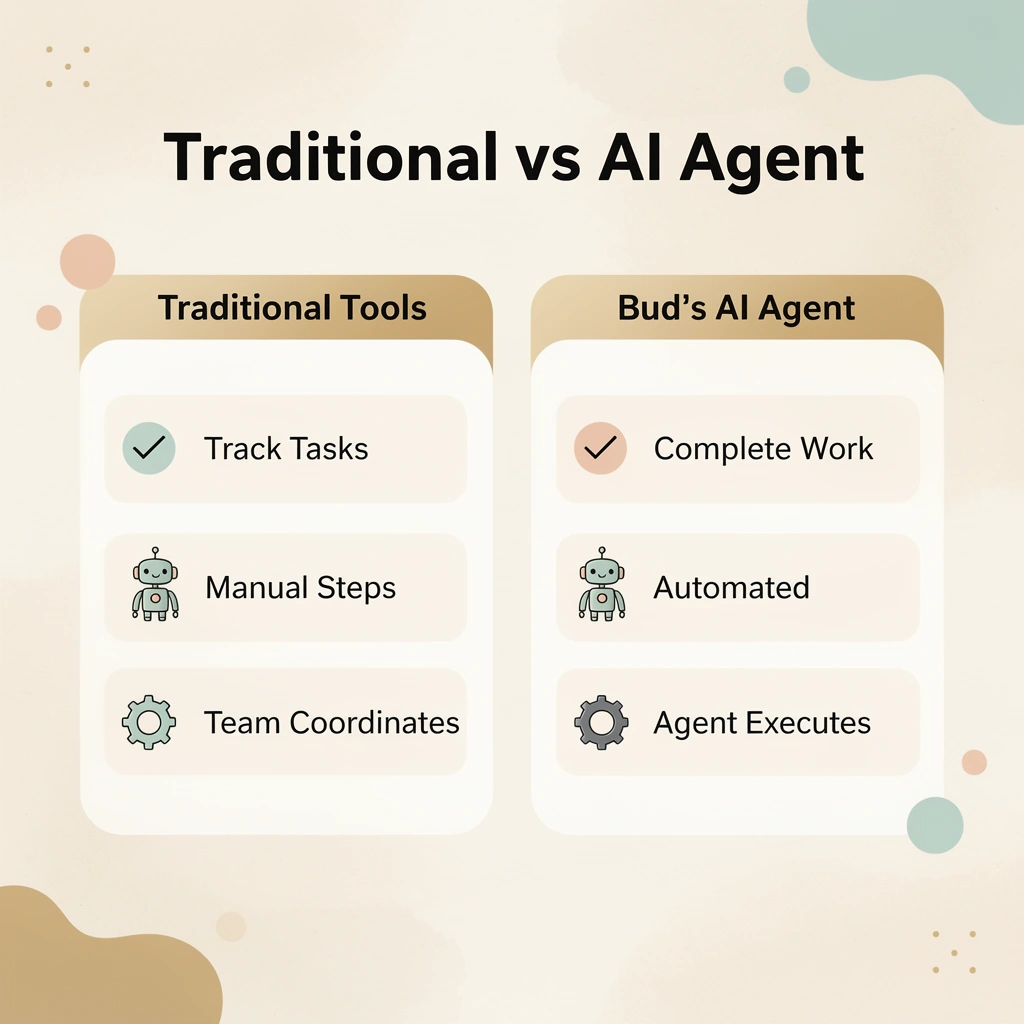
Warning: Most collaboration platforms assume the team is the resource, keeping you trapped in the execution cycle instead of focusing on strategy.
The shift isn't about adding another tool to your stack. It's about whether you need software that helps people work together or an agent that independently completes the work itself. Most collaboration platforms assume the team is the resource. Bud assumes the work can run autonomously, freeing the team to focus on decisions and strategy rather than execution and follow-through.

Start your first AI-powered workflow with Bud's agent and see what execution looks like when it happens automatically instead of manually.