How to Build a Marketing Automation Strategy for Business Growth
Marketing teams often send hundreds of emails weekly while tracking leads across multiple platforms, yet struggle to identify which prospects are ready to buy. Many businesses find themselves managing disconnected tools, fragmented data, and campaigns that feel robotic rather than strategic. A well-designed marketing automation strategy can transform this chaos into a streamlined system that efficiently attracts, nurtures, and converts leads.
The key lies in connecting email campaigns, CRM data, and customer touchpoints into a cohesive system that responds intelligently to each prospect's journey. Rather than manually segmenting audiences or scoring leads, businesses can leverage technology to handle these repetitive decisions based on real customer behavior and engagement patterns. This approach frees marketing teams to focus on creative strategy and relationship building while an AI agent manages the administrative tasks that drive consistent growth.
Table of Contents
- What Is Marketing Automation and How Does It Actually Work?
- Why Marketing Automation Became Essential for Modern Businesses
- Where Most Marketing Automation Efforts Start to Break Down
- 8 Steps To Create a Winning Marketing Automation Strategy
- Turn Your Marketing Automation Strategy Into an Actual Revenue System
Summary
- Marketing automation fails when teams prioritize tools over strategy, building complex workflows that execute flawlessly but convert poorly. According to Ascend2, 63% of marketers cite lack of strategy as their biggest automation challenge. The platform becomes a faster way to execute a bad strategy when companies automate customer journeys that never worked manually in the first place.
- Data quality determines whether automation amplifies growth or scales dysfunction. Only 16% of RevOps professionals trust their data accuracy, which explains why 42-54% of AI-driven automation initiatives fail. Poor data foundations prevent behavioral segmentation, break personalization logic, and create workflows that fire based on incomplete information that's several steps behind customer reality.
- Event-based automation delivers the highest conversion leverage when triggered at peak-intent moments. Research shows that 87% of automation-driven orders come from cart abandonment, welcome, and browse abandonment flows, with clothing brands recovering 20-30% of abandoned carts through well-timed sequences. The difference between template-based and behavioral automation is the gap between broadcast and conversation.
- Marketing automation increases sales productivity by 14.5% and drives a 77% increase in conversions when systems adapt to individual behavior rather than forcing everyone through identical paths. But these gains only materialize when automation responds to what customers actually do, not what marketers assumed they would do six months ago when building the workflow.
- Third-party cookies are essentially dead in 2026, making first-party data collection and server-side tracking the new foundation for accurate behavioral automation. Teams building automation strategies around outdated data collection methods will find their segmentation logic and personalization engines operating on increasingly incomplete customer profiles.
- Bud addresses this by giving AI agents full environmental access to observe user behavior across your entire stack, identify conversion friction points, and adjust workflow logic based on current performance rather than executing rules programmed months ago.
What Is Marketing Automation and How Does It Actually Work?
Marketing automation is a behavioral engine that collects data, segments audiences by their actions (not who they are), sets up automatic responses to specific actions, and sends messages aligned with each person's journey. When someone leaves items in their shopping cart at 2 AM, the system notices, waits the appropriate time, automatically retrieves product details, and sends a personalized reminder without manual intervention. Key Point: Marketing automation transforms reactive marketing into proactive customer engagement by responding to real-time behaviors rather than demographic assumptions.
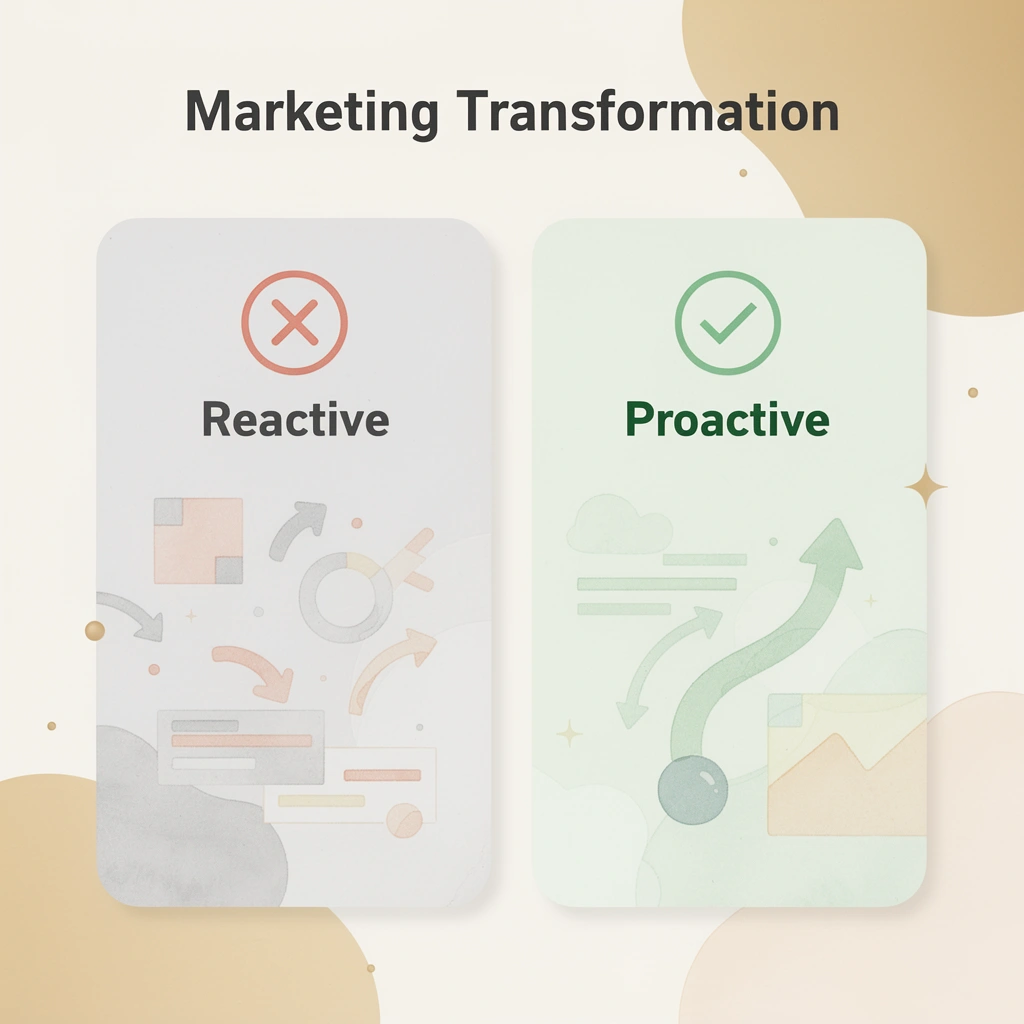
Example: Think of marketing automation as your digital sales assistant that never sleeps. It watches for trigger events like email opens, website visits, or purchase history, then automatically delivers the right message at the perfect moment in your customer's journey.
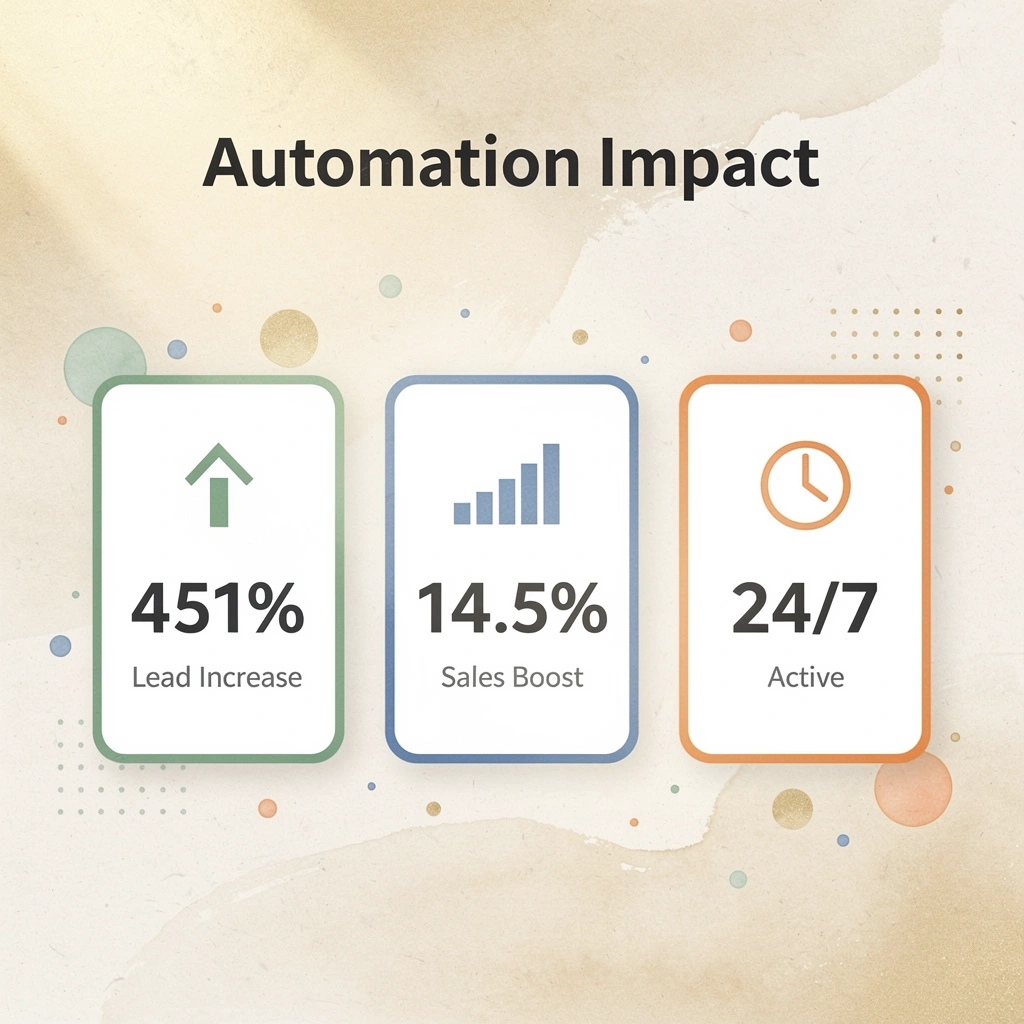
Why do most marketing automation efforts fail to deliver results?
There is confusion between "automation" and "scheduled emails" that creates real problems. Teams invest in platforms expecting behavior-driven intelligence, then use them like calendar apps. According to IBM, 80% of marketers say marketing automation generates more leads, but that outcome depends on building a system that reacts to customer signals, not broadcasting messages on a timer.
What are the four essential elements of marketing automation?
Every marketing automation system needs four elements working together. First, data capture: tracking behavior across every touchpoint—website visits, emails, purchases—to reveal what customers want. Second, segmentation: grouping people by behavioral patterns such as clicking three times without purchasing, opening every email for two weeks, then stopping, or buying once six months ago. Third, triggers: if-this-then-that logic triggered by specific conditions, such as cart abandonment after 24 hours, email opens without link clicks, or subscription renewals 30 days away. Fourth, lifecycle messaging: sequences that move someone from stranger to customer to repeat buyer, with each message responding to their last action.
How does this automation work in practice?
Someone visits your site and signs up for updates. The system captures their email, browsing behavior, and signup source, adding them to a group (new subscriber, interested in Product A). Three days later, with no return visit, a trigger fires: send educational content about Product A. They open and click through but don't purchase. Another trigger adds them to the "high intent" group and sends a case study in two days. They buy. A new trigger starts the post-purchase sequence, assigns a loyalty tier based on order value, and schedules a follow-up to collect product feedback in 1 week. None of this requires manual work.
What are the main types of automation that drive results?
Event-based automation starts actions when specific behaviors occur. Someone adds an item to their cart but doesn't complete checkout within three days. The system captures cart contents, creates a dynamic email pulling exact product details and images, and sends a reminder with subtle urgency (limited stock, price increase coming). If they don't purchase, another trigger moves them to a different sequence. This is a behavioral response.
Scheduled automation runs campaigns at set times while personalizing based on segment data. Your VIP customers (defined by purchase history and engagement scores) receive early access to a sale one week before the general announcement. The system checks loyalty tier daily, sends targeted emails to qualified segments at 9 AM in their time zone, and then follows up with a reminder 24 hours before the sale ends to those who opened the first email but didn't purchase.
Recurring automation maintains ongoing engagement through pattern-based triggers. On each customer's birthday, the system sends a personalized discount. When someone hasn't visited your site in 30 days, they enter a re-engagement sequence with progressively stronger incentives. If they don't respond after three attempts, they're automatically removed from active campaigns to preserve sender reputation and list health.
How do AI agents change traditional automation approaches?
Traditional marketing automation platforms handle these workflows through rule-based logic: if the cart is abandoned, wait 24 hours; send email template 3; check whether it was purchased; if not, wait 48 hours; send email template 7. It works but requires constant maintenance as customer behavior changes.
When AI agents gain full system access, they can observe actual customer patterns across your entire environment, identify which triggers convert and which create friction, adjust timing based on engagement data, and rewrite workflows without manual rebuilding. Our Bud AI agent bridges the gap between running rules defined six months ago and adapting to what's working now.
But here's what most people miss: building the system is easy compared to what comes next.
Why Marketing Automation Became Essential for Modern Businesses
Customer behavior changed marketing fundamentally. The time to make a buying decision stretched from days to weeks. Buyers now conduct their own research, compare choices across multiple channels, and expect personalized responses at every step. According to Marketing LTB, marketing automation increases sales productivity by 14.5%. The driving force: customer acquisition costs rose faster than most companies could grow their teams.

Key Point: The shift from quick decisions to extended research periods fundamentally changed how businesses need to engage with potential customers throughout their entire buying journey.
Takeaway: As customer acquisition costs continue to rise and buying cycles get longer, businesses that don't adapt with automated, personalized engagement will struggle to compete effectively in today's market.
Why did traditional marketing economics break down
The cost of acquiring customers rose as customer expectations grew. A person who checks your website, Instagram, and reviews, then returns a week later, expects you to remember their preferences. Meeting that expectation requires coordination across teams, repeated data analysis, and faster response times.
Teams trying to personalize communication at scale without automation hit a limit quickly: either hire more people to match your customer base, which ruins profit margins, or abandon the personalization today's buyers expect.
What makes human response to behavioral signals impossible at scale?
The problem isn't working harder; it's mathematically impossible for humans to respond to thousands of individual behavioral signals simultaneously.
When someone leaves items in their cart at 2 AM, opens an email without clicking it, attends a webinar without booking a demo, then goes silent for three weeks, the right message depends on information spread across different systems. Marketing teams waste hours weekly determining who needs what message and when.
Why did customer expectations shift toward personalization
Buyers expect brands to remember them—not through surveillance, but like a good shopkeeper recognizing regulars. McKinsey found that 71% of consumers expect personalized experiences, yet most businesses can't deliver because true personalization requires tracking hundreds of data points per person and responding in real time.
Automation became the only way to close this gap without hiring an army.
How do behavioral systems outperform template-based approaches?
Old marketing platforms used rigid templates: six preset flows, add your logo, and hope customers behaved as expected. However, research shows a 77% increase in conversions through marketing automation when systems adapt to individual behavior rather than forcing everyone down the same path.
The difference between template-based and behavioral automation is the difference between broadcast and conversation.
What makes AI agents superior to rule-based systems?
Rule-based systems run logic programmed months ago, failing when customer patterns shift or edge cases multiply. AI agents with full system access can identify which message sequences convert, pinpoint friction points where users disengage, adjust timing based on engagement patterns, and rewrite workflows without manual reconfiguration.
That's not a small improvement—it's the gap between running on old assumptions and responding to what's happening now. But understanding why automation became necessary doesn't prepare you for what breaks when you implement it.
Where Most Marketing Automation Efforts Start to Break Down
Most automation implementations fail because teams automate the wrong things in the wrong order: buying platforms before mapping customer journeys, building complex workflows before fixing basic segmentation, and launching campaigns that work perfectly but don't convert well. The real problem is treating automation as a deployment issue rather than a design issue.

Key Point: The sequence of automation implementation matters more than the sophistication of your tools. Getting the foundation right prevents costly rebuilds later.

Warning: Automating broken processes only creates broken results faster. Fix your customer journey mapping and segmentation strategy before investing in advanced automation features.
| Wrong Approach | Right Approach |
|---|---|
| Buy the platform first | Map the customer journey first |
| Build complex workflows | Start with basic segmentation |
| Focus on features | Focus on conversion outcomes |
| Treat as a deployment | Treat it as a design process |
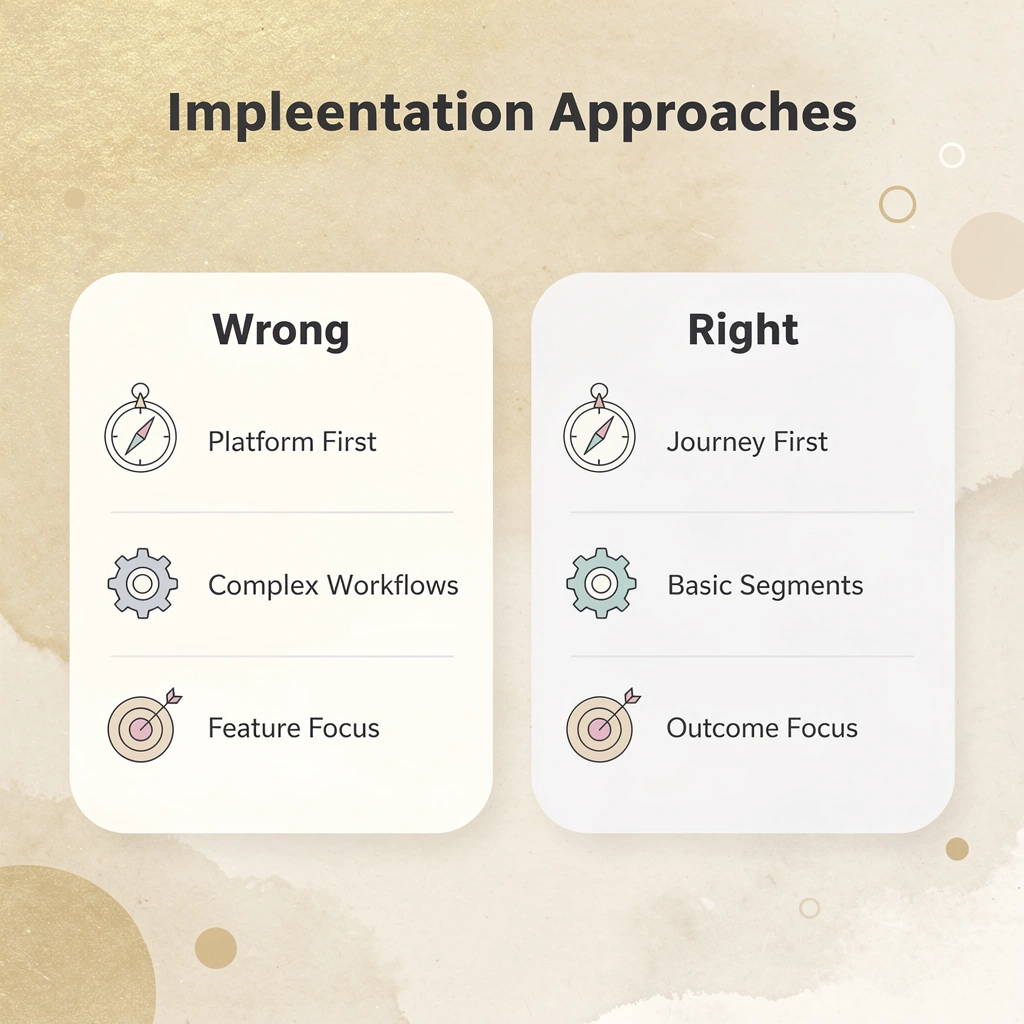
What happens when teams prioritize tools over strategy?
Teams choose HubSpot, Mailchimp, or ActiveCampaign, spend weeks setting up features, then realize they've automated a customer journey that never worked manually. I've watched companies build detailed nurture sequences with dynamic content blocks and behavioral triggers, only to discover their core value proposition wasn't compelling enough to convert anyone, regardless of personalization. The automation worked perfectly. The strategy didn't.
Why do most marketing automation efforts fail?
According to Ascend2, 63% of marketers cite a lack of strategy as their biggest challenge with marketing automation. This isn't a software problem: teams expect tools to create strategy rather than execute it. You can't automate your way to clarity about who your customer is, what problem you solve, or why they should care now rather than six months from now.
Why do surface attributes fail to predict behavior?
Most segmentation logic groups people by surface attributes (industry, company size, job title) rather than behavioral signals that reveal actual intent. Someone who visited your pricing page five times this week behaves differently from someone with the same job title who opened one email three months ago. Templates treat them identically because the segmentation model prioritizes simplicity over relevance. You end up with segments that don't predict behavior and automation rules that activate based on demographics rather than on what people actually do.
How do data integration issues affect segmentation accuracy?
Research from Salesforce shows 44% of companies struggle with data quality and integration issues in their marketing automation. When your CRM doesn't sync with your email platform, which doesn't connect to your analytics tool, you're building segments on incomplete data. A person who abandoned a cart yesterday might remain in your "cold lead" segment because the purchase intent signal never reached the automation platform.
Why do automated workflows fail to improve conversions?
The most expensive mistake is automating a customer journey that converts at 2%. You've built infrastructure that efficiently delivers mediocre results to thousands of people, rather than to hundreds.
The cart abandonment sequence fires reliably, but if the original friction was unclear, shipping costs, or a confusing checkout flow, automated follow-up cannot fix the core problem. You're reminding people about an experience they already decided wasn't worth finishing.
How can AI agents improve workflow optimization?
Traditional platforms let you build workflows through visual editors where you drag boxes and draw arrows between trigger conditions. But when conversion rates stay flat after launch, you're stuck manually checking each decision node, testing variations, rebuilding segments, and hoping you've identified the friction point.
Systems like Bud approach this differently by giving AI agents full environmental access to observe actual user behavior across your entire stack, identify where people consistently drop off, and adjust workflow logic based on what's converting now rather than what you programmed last quarter. The gap isn't about better templates—it's about systems that learn from outcomes instead of executing fixed rules.
The question nobody asks before launching is whether success at scale would matter if the foundation is wrong.
8 Steps To Create a Winning Marketing Automation Strategy
Strategy must come before tools because automation only works when it reflects real customer behavior. This approach works for most small and medium-sized businesses, software companies, and online stores with steady traffic patterns and customer data, but not for startups lacking data to study or traffic to organize.

Key Point: The framework below assumes you have customers to study and systems to connect. If you're not yet launched or running on spreadsheets, build those foundations first.
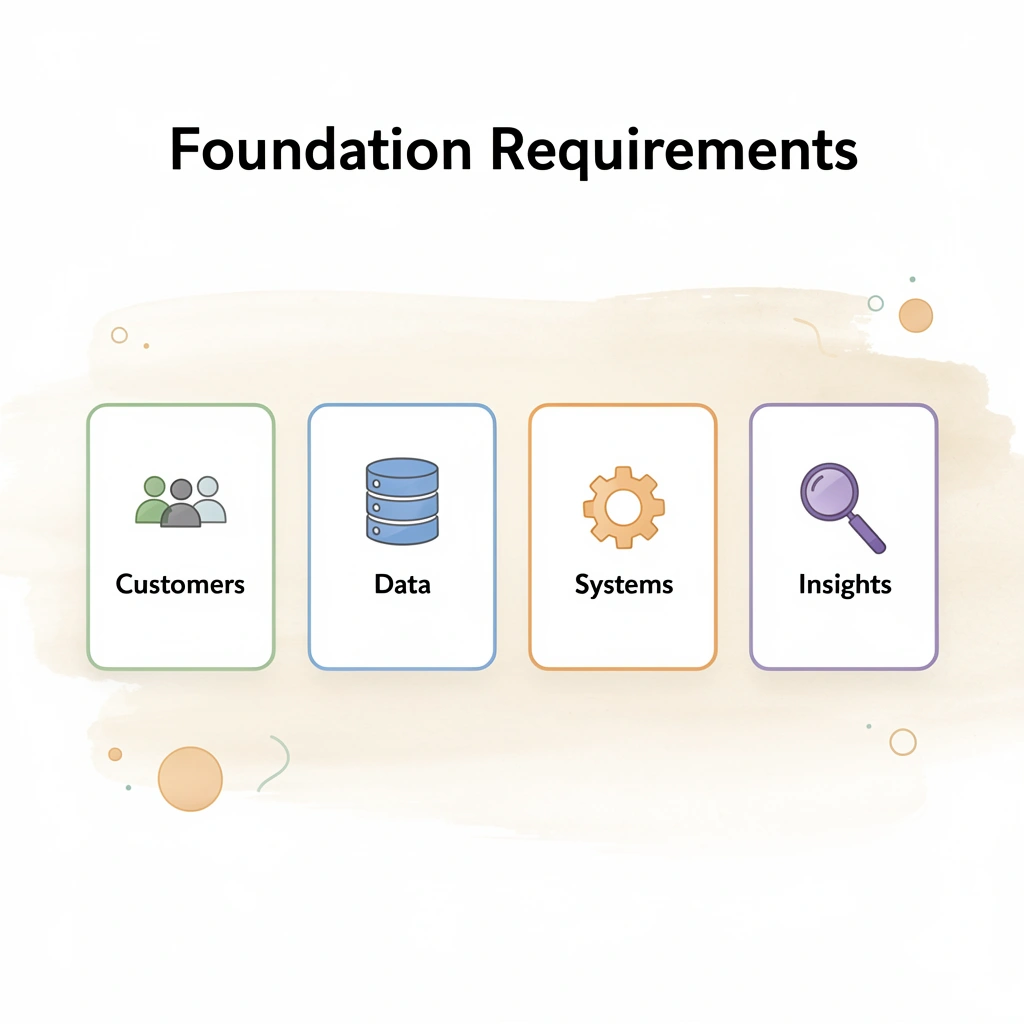
Warning: Don't rush into automation tools without having the essential data foundation and customer insights needed to make them effective.
1. Anchor Every Decision to Specific Business Outcomes
Define success in numbers and timeframes. "Improve email marketing" means nothing. "Increase qualified demo requests by 18% while maintaining cost per lead under $42 by December 2026" creates a measurable target. According to Marketing Automation Best Practices research, companies excelling at lead nurturing generate 50% more sales-ready leads at 33% lower cost by connecting automation directly to outcome metrics rather than activity metrics.
Write your primary goal, the metric that proves it, and the deadline. Then add constraints: frequency caps to avoid overwhelming contacts, minimum audience sizes for statistical validity, budget limits on triggered campaigns, and suppression rules that exclude converted contacts. One SaaS team shifted from "send more nurture emails" to "boost trial-to-paid conversion by 12% within 90 days while keeping weekly email frequency under three messages." That specificity guided every workflow decision.
2. Build the Data Foundation Before Adding Workflows
Your automation quality depends entirely on data accuracy. When only 16% of RevOps professionals trust their data, automation amplifies garbage into personalized garbage delivered at scale.
How do you unify customer data across all touchpoints?
Bring together all your customer information from web analytics, mobile app events, CRM records, ecommerce transactions, support interactions, and offline purchases before setting up workflows. Create unified profiles with clear identifiers, demographic attributes, behavioral history, and documented consent preferences.
What data hygiene practices ensure long-term accuracy?
Set up deduplication four times a year, automatic bounce handling to protect deliverability, and sunset policies that remove contacts showing no engagement for 12 months. With third-party cookies ending in 2026, first-party data collection through server-side tracking becomes your primary source of truth.
3. Map Customer Journeys to Find High-Leverage Moments
Automation should follow how customers experience your brand, not your organization's structure. List every important touchpoint across awareness, consideration, conversion, and retention stages. For each one, document the customer action, likely emotion, questions that arise, and gaps in your current experience.
Where do the highest-leverage automation opportunities appear?
The best automation opportunities arise when people demonstrate intent: visiting a website without signing up, abandoning a shopping cart or form after showing purchase interest, remaining inactive 7–14 days after delivery, or reaching limits during trial periods.
A fashion brand recovered 20-30% of abandoned carts by sending a reminder within 30 minutes, adding social proof at 24 hours, and offering a time-limited 10% discount at 48 hours. A project management tool increased trial activation 15-25% by triggering feature tours based on user clicks after first login.
4. Choose Automation Types Based on Customer Behavior Patterns
Three core patterns handle most automation needs. Event-based automation triggers immediately when users take specific actions: cart abandonment, trial onboarding, content downloads, and in-app milestones, since timing is critical. Scheduled automation runs on calendar dates for weekly newsletters, monthly updates, and seasonal campaigns. Recurring automation repeats on customer-specific dates, such as birthdays, subscription renewals, or replenishment cycles.
Layer all three types so customers receive timely messages driven by both their actions and lifecycle stage, but always use dynamic suppression logic. If someone purchases before a scheduled cart recovery email sends, suppress that message. Irrelevant automation destroys trust faster than silence.
5. Design Workflows That Reflect Real Customer Decision Timing
For the welcome series, send account confirmation within 5–15 minutes to reduce friction, follow with social proof and case studies at day 2–3 to build confidence, then offer a feature checklist or first-purchase incentive at day 5–7 to drive activation. For cart recovery, send a simple reminder with cart contents at 1–3 hours, add customer reviews and urgency signals at 24 hours, then test time-limited incentives at 48–72 hours.
What makes post-purchase activation workflows effective?
After someone makes a purchase, what happens next is as important as the initial sale. Send an order confirmation immediately with clear delivery details. When the product arrives, provide usage tips. Then, 7–14 days later, request a review and suggest complementary items. Choose your communication channel based on customer preference and consent: email remains the primary channel for most customers, but use text messages for time-sensitive information and push notifications for app users.
Try AI-powered features like send times that predict when customers will open emails and automatic product suggestions. Compare their performance against simpler rule-based systems before deciding they're better.
How can you overcome technical limitations in workflow automation?
Teams building these workflows often encounter technical problems that their marketing platforms cannot solve. Connecting to external APIs, writing custom trigger logic that pulls from multiple data sources, or deploying changes across environments requires developer resources, creating bottlenecks.
Platforms like Bud change this by giving you conversational control over your full development environment, letting you describe the customer behavior patterns that matter to your business, while our AI agent interacts directly with your databases and APIs to create end-to-end automation that matches your specific journey logic.
6. Implement Governance Before Problems Force It
Automation deteriorates without regular maintenance. Conduct quarterly workflow audits to remove duplicates, outdated offers, and conflicting messages. Assign clear ownership for each major automation program to monitor performance and catch issues before customers complain.
How do you test and optimize automation performance?
Test triggers to verify your timing assumptions. Does "cart abandoned" mean 30 minutes, one hour, or three hours without activity? Test subject lines, email length, creative angles, and whether incentives improve conversion or condition customers to expect discounts.
Compare email-only performance against email plus SMS or push notifications for different segments. Measure new flows over at least 2–4 weeks or 1,000 recipients before evaluating results, tracking leading indicators such as opens and clicks while optimizing for lagging metrics like revenue and customer lifetime value.
What compliance requirements should you build into workflows?
Build compliance into every workflow from the start. Include clear unsubscribe options, respect frequency caps across campaigns, honor consent and topic preferences in your CRM, and document compliance for GDPR, CCPA, and industry regulations. A single triggered email that ignores an unsubscribe request can damage the sender's reputation for months and expose you to legal risk.
7. Measure Outcomes, Not Just Activity
The metrics you track show whether automation creates real business results or merely inflates reports. Revenue per send, customer lifetime value, and churn rates reveal whether automation grows your business, not just open rates and click-through rates. A fashion retailer tracking complete customer journeys analyzes which flows generated the most orders and revenue, how post-purchase education affects review submission rates, and how engagement with welcome sequences influences long-term customer value.
How do you connect metrics to optimization decisions?
High open rates mean little if conversions lag. Strong click rates lose value if unsubscribes rise afterward. Each metric should connect directly to business goals and inform specific optimization decisions. When a workflow underperforms, the data should reveal whether to adjust timing, improve segmentation, change the offer, or stop the campaign.
8. Select Technology After Defining Strategy
Pick your automation platform based on how well it matches the business results you defined in step one. Don't choose based on feature count or reviews. Look at whether it integrates with your current CRM and analytics systems, whether it tracks the outcome metrics tied to your goals, and how the vendor currently uses AI compared to making unclear promises about the future.
Why is connecting marketing and sales automation crucial?
Connect marketing automation with sales automation tools to streamline lead management and improve lead scoring. The handoff between marketing-generated leads and sales follow-up determines whether automation fills the pipeline or merely generates reports.
Integration lets you identify upsell opportunities by tracking which existing customers engage with content about additional products, thereby increasing customer lifetime value. Knowing the steps and executing them reveals different challenges.
Turn Your Marketing Automation Strategy Into an Actual Revenue System
Understanding marketing automation is one thing. Building a system that drives revenue is where most businesses fail. Most automation setups lack a real strategy built around customer behavior, segmentation, and revenue-based triggers. Key Point: The gap between automation theory and revenue reality is where most businesses lose money and momentum.

Our Bud AI Agent is designed to close this gap. Instead of leaving your automation strategy as a document or disconnected workflows, our platform maps repetitive marketing and operational workflows across your tools, identifies and structures automations based on user behavior and triggers, and executes multi-step processes across platforms without manual intervention.
"Most automation setups never get turned into a real strategy built around customer behavior, segmentation, and revenue-based triggers."
| Traditional Automation | Revenue-Driven System |
|---|---|
| Disconnected workflows | Integrated cross-platform processes |
| Manual setup and monitoring | AI-powered execution and optimization |
| Document-based strategy | Behavior-triggered automations |
| Time-consuming implementation | 3-minute setup and immediate value |
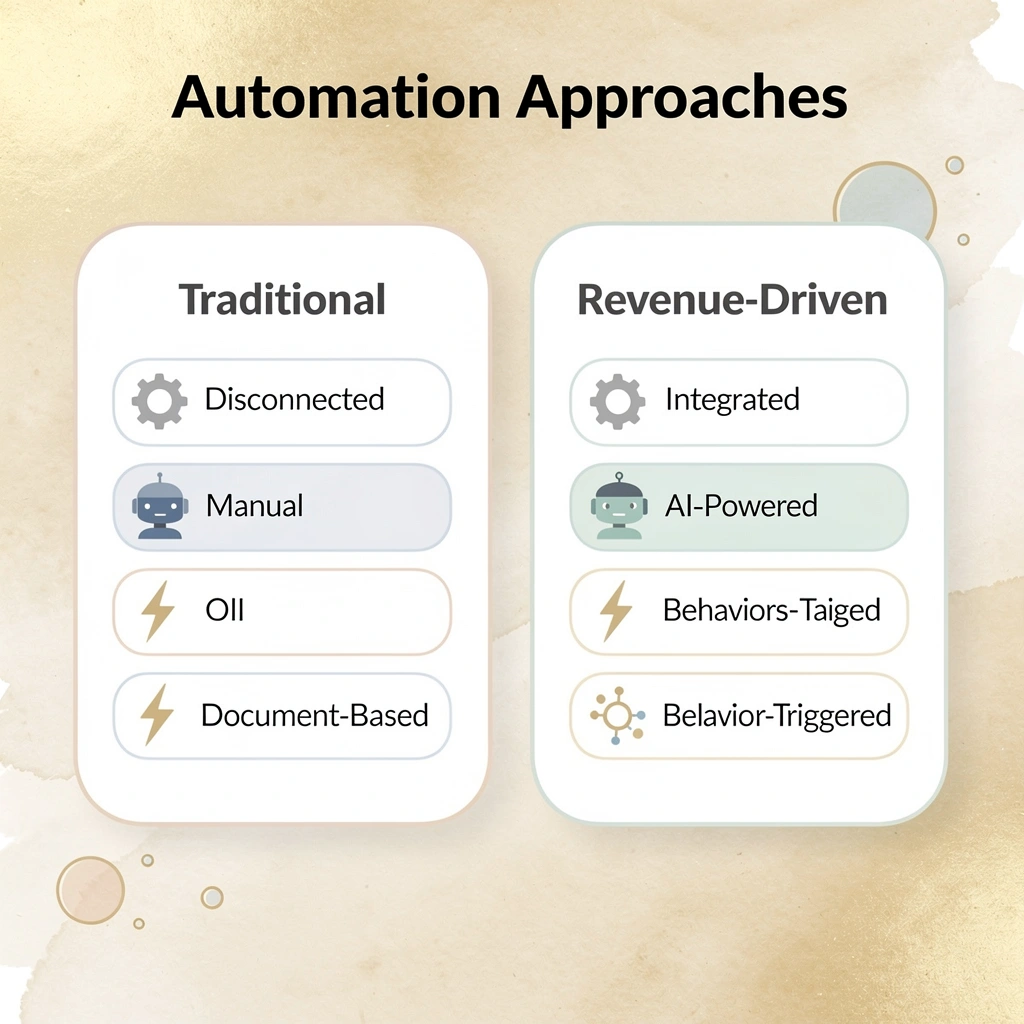
To implement a real marketing automation strategy, set up your first automated workflow in under 3 minutes. Once connected, Bud immediately executes a task across your stack, showing you where automation starts delivering value. Tip: Start with one high-impact workflow that touches multiple tools in your stack - this immediately demonstrates ROI and builds momentum for broader automation adoption.