What Is Tax Workflow Automation and How It Works in Practice
Tax season brings familiar challenges: spreadsheets pile up, compliance deadlines loom, and teams get buried in manual data entry as they race to stay ahead of changing regulations. Tax workflow automation transforms this chaotic process by handling repetitive tasks that drain resources and create opportunities for costly mistakes. Automated systems eliminate bottlenecks, reduce human error, and enable teams to complete returns and compliance work faster while maintaining precision.
Moving beyond manual processes requires the right technology partner. Teams can reclaim hours previously lost to data entry and document management, allowing them to focus on strategic tax planning and client advisory work that truly requires their expertise. For firms ready to implement these efficiencies, Bud's AI agent provides an intelligent assistant that learns specific tax processes and automatically handles document collection, data validation, and workflow routing.
Table of Contents
- What Tax Workflow Automation Actually Means in Practice
- Where Tax Workflow Automation Still Requires Human Oversight
- How Tax Workflow Automation Systems Are Structured End to End
- Top 10 Tax Automation Tools and Services in 2026
- How to Implement Tax Workflow Automation in a Real Business
- Move From Tax Workflow Design to Fully Automated Execution Across Systems
Summary
- Tax workflow automation can reduce processing time by up to 70% according to industry data, but the gains come from orchestrating connected processes rather than simply digitizing forms. The transformation occurs when document collection, data validation, and compliance checks are run as rule-based sequences rather than as disconnected manual tasks. Firms that implement full workflow automation eliminate bottlenecks wherever information moves between people or systems.
- Nearly 90% of spreadsheets contain errors, and those mistakes compound across every stage of tax preparation. A formatting error during data capture survives validation and appears in final filings, creating audit risk and potential penalties. Manual data entry accounts for 40% of tax professionals' time, according to workflow studies, which means almost half the workday is spent on tasks that introduce error risk rather than eliminate it. The cost isn't just inefficiency; it's financial exposure from mistakes that automated validation would catch before submission.
- Tax workflow automation stops where interpretation begins. When transactions don't fit standard categories, when regulatory guidance is ambiguous, or when data quality issues arise, the system flags the exception and waits for human judgment. According to a 2025 survey of 816 tax professionals, automation augments workflow orchestration but doesn't eliminate the need for professional oversight at critical decision points. Complex scenarios involving cross-jurisdictional compliance, unusual deductions, or conflicting data sources still require experienced accountants to review context and apply judgment.
- Classification logic handles 90% of routine transaction sorting during tax season, but the other 10% determines whether automation actually works in practice. When a business purchases equipment used partially for work and partially for personal use, the system must split the expense, apply business-use percentages, calculate depreciation, and flag non-deductible portions. Transactions at the boundary between categories require multi-step logic that accounts for contract terms, usage patterns, and prior-year elections that exist outside the current data set.
- Most tax professionals spend more time executing workflows than performing actual tax work. They copy data from accounting platforms into tax software, download documents from client portals, manually enter figures into spreadsheets, and switch between browser tabs to verify information across systems. The workflow exists as a documented process, but execution remains a series of manual tasks where humans act as data couriers between disconnected tools that don't communicate directly.
- Bud's AI agent handles the cross-system orchestration work that consumes hours during tax season, navigating portals to collect documents, extracting transaction details, and routing edge cases to reviewers with full context already assembled.
What Tax Workflow Automation Actually Means in Practice
Tax workflow automation is not tax preparation software or a calculator that fills in forms. It's a connected system that manages every stage of tax operations, from capturing client data to sorting transactions, checking compliance, creating reports, and submitting filings. According to Moxo Blog, tax firms can reduce processing time by up to 70% with automation because the workflow becomes rule-based orchestration rather than a collection of separate tools.
Key Point: True automation connects all tax processes into one seamless workflow, eliminating manual data transfer between tools. Tip: Look for automation solutions that integrate data capture, compliance checking, and filing submission rather than digitizing individual tasks.

How does the receive-and-confirm stage work?
The tax workflow breaks into three segments with distinct automation opportunities. The first stage, Receive and Confirm, requests client documents and verifies completeness. Secure portals replace email threads, automated reminders replace manual follow-ups, and digital questionnaires feed data directly into downstream systems.
When a client uploads their W-2, the system confirms receipt, checks for missing fields, and automatically triggers the next stage.
What happens during the process and fulfill?
The second stage, Process and Fulfill, handles data entry, categorization, and validation. OCR technology extracts information from scanned documents and automatically populates tax forms. When tax software and accounting platforms like QuickBooks integrate, they transfer financial data without manual entry.
Automated compliance checks flag inconsistencies or missing information before a senior accountant reviews the return. Work that once required hours of manual data entry now happens in minutes through orchestrated handoffs between systems.
How does file and follow up complete the workflow?
The third stage, File and Follow Up, completes the loop. Electronic filing connects directly to tax authorities, automatic status updates notify clients when returns are submitted, and digital portals provide access to filed documents.
Payment collection, advisory service scheduling, and next-year planning reminders are all triggered based on workflow status.
How do manual processes create workflow failures?
Manual processes create failure points at every stage. Studies show nearly 90% of spreadsheets contain errors, and these mistakes compound across the workflow. A formatting error during data capture spreads through categorization, survives validation, and appears in the final filing.
Bank of America overstated capital by $4 billion due to a spreadsheet error, and MI5 mistakenly tapped the phones of innocent people because of formatting errors. According to Moxo Blog, 40% of tax professionals' time is spent on manual data entry: nearly half the workday on tasks that introduce error risk rather than eliminate it.
Why do business tax workflows multiply complexity?
Business tax workflows are complicated. Multiple people provide different types of data, such as financial statements, payroll records, tax credits, and deductions. Coordinating these inputs manually requires tracking who submitted what, when, and in which format.
Business returns require organizing multiple data streams that converge during validation. Without automated routing and status tracking, slowdowns occur at handoffs between people or systems.
How does automation enhance rather than replace accountants?
Automation isn't about replacing accountants with software. It's about replacing repetitive work that prevents accountants from doing what they're trained to do. When our AI agent handles document collection, data validation, and workflow routing using existing tools like email, browsers, and portals, your team stops spending hours searching for missing forms or manually copying data between systems.
They reclaim time for tax planning, advisory conversations, and strategic work that clients value. The workflow still requires human judgment at critical points, but routine work now runs in the background.
Where Tax Workflow Automation Still Requires Human Oversight
Automation handles predictable tasks such as data extraction, form population, deadline tracking, and rule-based validation. It stops where interpretation begins. When transactions don't fit standard categories, regulatory guidance is ambiguous, or data quality issues surface, the system flags exceptions for human judgment. According to Financial Cents' 2025 Report: The State of Accounting Workflow and Automation, which surveyed 816 accountants, bookkeepers, and tax professionals, automation improves workflow organization but doesn't eliminate the need for professional oversight at critical decision points. Key Point: While automation excels at routine processing, complex tax scenarios require the nuanced judgment only experienced professionals can provide.
Warning: Over-relying on automation without proper human checkpoints can cause costly errors when edge cases or unusual transactions slip through automated validation.

How do inconsistent inputs break automated workflows?
Automated systems need consistent inputs. Real-world tax workflows rarely provide that consistency. A client uploads bank statements with missing transaction descriptions. Another submits expense receipts where vendor names don't match accounting records. A third provides payroll data where employee classifications conflict between systems.
Each inconsistency halts the workflow until the confusion is resolved. The system cannot determine whether "office supplies" on one receipt and "general supplies" on another represent the same expense category, particularly when tax treatment depends on that classification.
Why do cross-system inconsistencies create bottlenecks?
Different systems don't always align, complicating the problem. Financial data comes from QuickBooks, payroll information from ADP, and tax credits require documentation stored in separate portals. When totals diverge across platforms, automation cannot determine which source holds the correct number.
A person reviews the difference, investigates the cause, and fixes the original data before the workflow moves forward. The slowdown stems not from automation but from the quality of what goes into it.
How do tax codes handle complex transaction scenarios?
Tax codes contain thousands of classification rules, but cannot predict every transaction situation. A business buys software that includes training, setup services, and ongoing support in a single invoice. Should that expense be split across multiple categories or count as a single capital investment? The answer depends on contract terms, how it's used, and specific tax treatment choices made in earlier years. Automation applies known rules, but transactions at category boundaries require human judgment.
Why do deductions and exemptions create ambiguity?
The same pattern appears with deductions, credits, and exemptions. A company sponsoring an industry conference faces confusion: is that a marketing expense, a charitable contribution, or a business development cost? Tax treatment differs for each, depending on sponsorship structure, benefits received, and the organizer's nonprofit status. Automation cannot resolve this without context from emails, contracts, and prior advisory conversations.
How do AI platforms streamline complex tax workflows?
Platforms like Bud's AI agent handle work that once took hours: gathering documents from multiple sources, extracting transaction details, and routing complex cases to reviewers. Our AI agent functions as a human assistant, using browsers and portals to collect information and flag unclear items, without replacing the tax professional who interprets complex situations. It ensures these cases reach the right person faster with all relevant information compiled.
Why does regulatory guidance require human interpretation?
Rules and guidance change constantly through new decisions, court rulings, and laws. Automation can track updates and flag affected returns, but it cannot determine how a new ruling applies to a specific client's situation.
A business operating across multiple states faces different sales tax rules for each state. Automation can identify which states require filings, but determining whether a specific revenue stream triggers these rules requires analyzing the transaction type, customer location, and service type.
How do compliance errors create audit risk?
If you classify income incorrectly, claim improper deductions, or file in the wrong jurisdiction, you risk audit and penalties. Experienced tax professionals review AI recommendations because tax compliance requires judgment that accounts for nuance, precedent, and client-specific circumstances.
The algorithm processes rules; the human applies them in context. Understanding where automation stops doesn't reveal how the pieces connect when they work together.
How Tax Workflow Automation Systems Are Structured End to End
Tax workflow automation is a pipeline where each layer handles a specific job: collecting data, sorting it, checking for errors, making outputs, and connecting to outside systems. When these layers work in order without manual handoffs, the tax process operates as a cohesive logic rather than as separate tasks handled by different people at different times. Key Point: The power of automation lies in creating seamless handoffs between each processing layer, eliminating the traditional bottlenecks of manual task coordination.
Tip: Think of each automation layer as a specialized worker that never takes breaks, never forgets steps, and always passes clean data to the next stage in the pipeline.

How does automated data ingestion replace manual processes?
The ingestion layer replaces email attachments and manual uploads with automated intake channels. Secure client portals accept W-2s, 1099s, and expense receipts directly. OCR technology scans uploaded documents and extracts structured data, such as employer identification numbers, income amounts, and transaction dates.
Bank feeds pull transactions automatically from financial institutions. Payroll systems push employee compensation records through APIs. Each source feeds into a centralized repository, eliminating the need for manual consolidation across multiple formats.
What happens when documents are missing or deadlines approach?
Automatic reminders alert taxpayers when deadlines approach and required documents are missing. Digital questionnaires adapt based on prior-year information, asking only relevant questions instead of presenting the same checklist to every taxpayer.
The system tracks what has been received, what is missing, and what needs clarification, sending follow-up tasks to team members only when the client needs to respond.
How does the classification system categorize transactions?
Once data enters the system, the classification layer sorts each transaction based on tax rules. A $500 payment to a software vendor gets labeled as a business expense. A $2,000 equipment purchase initiates depreciation calculations. Interest income from multiple bank accounts is combined under the correct tax form line. The engine applies rules based on transaction type, amount, vendor category, and patterns from earlier filings.
What happens with complex multi-step scenarios?
Complex scenarios require multiple steps to work through. A business buys a vehicle used 60% for work and 40% for personal reasons: the classification layer splits the expense, applies the business-use percentage, calculates allowable depreciation, and flags the personal-use portion as non-deductible. When a transaction doesn't fit standard patterns, the system flags it for human review rather than making a guess. According to Wolters Kluwer, 90% of tax professionals report that automation has improved their efficiency, largely because classification logic handles the repetitive sorting work that previously took hours during the busy season.
How does validation catch errors before filing?
The validation layer cross-references data across sources to find inconsistencies. A W-2 reports $75,000 in wages, but bank deposits total $80,000: the system flags the difference. Mortgage interest claimed on Schedule A doesn't match the lender's 1098, blocking the workflow until reconciliation. Charitable deductions exceeding percentage limits based on adjusted gross income trigger an alert before filing.
This layer checks for missing information that could cause rejection: an incomplete dependent's Social Security number, a state tax payment missing the required date, or missing foreign income schedules. Each gap halts progression, ensuring nothing reaches the filing stage with incomplete data.
What role do AI agents play in validation?
Platforms like Bud's AI agent work at this coordination level, logging into portals to retrieve documents, checking data across platforms, and flagging exceptions to reviewers with full context. Our AI agent doesn't replace the tax professional's judgment on complex validation questions—it eliminates the hours spent manually gathering, comparing, and organizing information.
Collecting, sorting, and validating data matters only if the system can create required outputs and connect to platforms where financial data lives.
Top 10 Tax Automation Tools and Services in 2026
These automation tools handle different stack components: data ingestion, classification, validation, filing, and integration. No single platform solves everything. The question isn't which tool is "best," but which combination removes the specific bottlenecks slowing your team down.

Key Point: The most effective tax automation strategy combines multiple specialized tools rather than relying on a single all-in-one solution that may excel in some areas but fall short in others.

Tip: Start by identifying your biggest time drains - whether that's manual data entry, compliance tracking, or report generation - then select tools that specifically address those pain points before expanding your automation stack.
1. Bud
Bud is the first AI agent that can use a full computer. It navigates websites, fills out forms, pulls data, and completes multi-step workflows. From Bloomberg Terminal analysis to GitHub tickets to QA testing, our AI agent handles repetitive tasks so you can focus on what matters.
What it automates
Multi-step workflows across platforms. Bud operates your existing tools like a human assistant would, moving between systems, pulling data from emails and PDFs, filling out forms, and completing tasks that take hours each week.
Core strengths
Unlike tools requiring API integrations, Bud uses the same interfaces humans do: browsers, email, and text messaging. It works with legacy systems, proprietary portals, and any web-based application without technical integration. Teams report saving 15-20 hours weekly on data collection and document organization.
Limitations
Bud requires human oversight for strategic decisions, approvals, and validation of complex positions. Define workflows clearly and maintain quality checks on outputs.
Best for
Businesses managing workflows across disconnected systems who need an AI agent that adapts to existing tools rather than forcing platform adoption.
2. Savant Labs
What it is
A no-code workflow builder for tax and finance operations that lets teams create custom automation without technical expertise.
What it automates
Data extraction from emails, spreadsheets, and PDFs; routing to Tally, QuickBooks, and other tax software; approval flows, reminders, and team handoffs.
Core strengths
Savant adapts to your operations rather than forcing pre-built templates on you. According to Thomson Reuters Tax & Accounting, tax technology increasingly favors customizable solutions for firm-specific workflows.
From tax reconciliation to cross-departmental compliance, Savant provides detailed control and system-wide visibility. Users report quick implementation with straightforward database connectivity.
Limitations
Making changes to fit your needs requires upfront time. Someone must understand your work process well enough to convert it into automation rules.
Best for
Medium-sized businesses with special tax workflows that don't match standard templates, particularly those handling compliance across multiple departments.
G2 Rating
4.7/5
3. Avalara
What it is
An enterprise-grade sales tax calculation and filing engine for high-volume, multi-jurisdictional commerce.
What it automates
Real-time sales tax calculation across 12,000+ jurisdictions, automatic filing and remittance, and nexus tracking as your business expands into new states.
Core strengths
Avalara handles complexity at scale. Deep integrations with Shopify, Amazon, NetSuite, and major ERP systems enable the automatic flow of transaction data. For e-commerce and retail businesses processing thousands of daily transactions across multiple states, it eliminates manual rate lookups and the management of filing deadlines.
Limitations
Setting up rules across different areas requires significant time, even with automation. Small businesses often find the cost and complexity prohibitive. Configuring rules for product taxability, exemptions, and special jurisdictions requires expertise and ongoing maintenance.
Best for
High-volume e-commerce and retail operations with multi-state sales tax obligations.
G2 Rating
4/5
4. TaxDome
What it is
A complete operating system for accounting firms that combines CRM, document management, task tracking, billing, and client communication in one platform.
What it automates
Client intake and onboarding, document collection and organization, task assignment and deadline tracking, e-signature workflows, and billing and payment processing.
Core strengths
TaxDome consolidates five typically separate tools: client management, project tracking, document portals, communication, and billing. For firms managing dozens or hundreds of clients, this eliminates the need to constantly switch platforms. Secure client portals automate document sharing without email attachments or file-sharing services.
Limitations
The user interface feels crowded with complex workflows and is designed for firms serving multiple clients, not for internal finance teams. Some users report integration gaps with specific tax preparation software.
Best for
Accounting and tax professionals managing multiple clients who need unified client operations.
G2 Rating
4.7/5
5. ATOM
What it is
A business indirect tax engine for organizations processing millions of transactions across complex global tax systems.
What it automates
GST/VAT computation and validation, automated reconciliations between transaction systems and tax filings, and compliance reporting across multiple locations.
Core strengths
ATOM handles high-volume, high-complexity tax data through deep integration with SAP and Oracle ERP systems. Its reconciliation engine processes millions of entries, flagging discrepancies that would take weeks to identify manually. For multinational enterprises, it provides the precision and audit trail required for compliance.
Limitations
Implementation is resource-intensive and requires extensive IT involvement, making it unsuitable for small or medium businesses. Ongoing management demands dedicated tax technology staff with expertise in both tax requirements and technical architecture.
Best for
Large companies with complicated indirect tax situations, high transaction volumes, and existing SAP or Oracle systems.
G2 Rating
4/5
6. Inkle
What it is
A hybrid platform combining AI automation with human CA support for startups and remote teams managing taxes across the US and India.
What it automates
Monthly filings, payroll processing, basic bookkeeping, and tracking compliance across the US and India tax rules.
Core strengths
Inkle bridges traditional chartered accountants and pure software automation. For startups without dedicated finance teams, the hybrid model offers affordable access to expertise and automated workflows. The platform suits founders who need compliance handled but lack accounting backgrounds.
Limitations
Geographic focus limited to the US-India markets. Customization options are more limited than those of enterprise platforms. The hybrid model may slow communication versus pure software solutions.
Best for
Startups and small businesses with US-India operations that need affordable, guided tax compliance without a full-time accounting staff.
G2 Rating
4.7/5
7. TaxJar
What it is
A sales tax automation platform for online sellers in the US markets.
What it automates
Order data collection from Shopify, Amazon, WooCommerce, and Stripe; real-time rate lookups across 11,000+ US tax jurisdictions; nexus monitoring that flags new state obligations; automated filing.
Core strengths
Fast setup and high ease-of-use scores make TaxJar accessible for growing e-commerce businesses. The nexus dashboard alerts you when sales volume triggers new state obligations, preventing surprise tax bills.
Limitations
Handles only US sales tax, with no direct support for VAT or GST for international operations. Configuration requires understanding your product taxability and exemption scenarios.
Best for
US-based online sellers need quick, reliable sales tax automation.
G2 Rating
4.7/5
8. Taxaroo
What it is
A client-facing automation platform for solo CPAs and small tax firms that streamlines onboarding and document collection.
What it automates
Client intake workflows, questionnaire-based tax data collection, white-labelled client portals, secure document exchange, and automated follow-up reminders.
Core strengths
Taxaroo reduces the time spent requesting client information through automated onboarding sequences and templated questionnaires that ensure consistent data collection, while white-labelled portals maintain your firm's branding.
Limitations
Limited accounting system integrations mean it automates client-facing workflows but not backend compliance, calculations, or filing. You'll need separate tax preparation software.
Best for
Solo practitioners and small CPA firms are seeking to professionalize client intake and reduce administrative overhead.
G2 Rating
4.8/5
9. Vertex
What it is
A worldwide tax data engine that provides large multinational companies with the exact tax information needed to navigate complex cross-border tax situations.
What it automates
Tax determination across global VAT, sales tax, and use tax systems; real-time rate updates when regulations change; compliance reporting for multiple countries; integration with SAP, Salesforce, and Oracle.
Core strengths
Vertex delivers the jurisdictional accuracy and audit trail that large enterprises require. The tax data engine updates continuously as regulations change, eliminating the need to manually track rate changes across dozens of countries.
Limitations
Expensive and complex, requiring dedicated teams to manage. Implementation timelines stretch across months. For most small and medium-sized businesses, it represents severe overkill in both capability and cost.
Best for
Large multinational corporations with complex global tax scenarios, substantial transaction volumes, and resources to support enterprise-grade tax technology.
G2 Rating
4.3/5
10. Drake Tax
What it is
A computer program that helps tax professionals prepare taxes for CPA offices handling hundreds of personal and business tax returns during tax season.
What it automates
Built-in validation checks flag missing forms and calculation errors before filing. Keyboard shortcuts and batch actions enable rapid data entry. One-click e-filing provides instant acknowledgments and refund tracking.
Core strengths
Tax professionals value Drake for speed and reliability. The software enables preparers to process dozens of returns quickly during the busy season. Pricing remains competitive against cloud-based options, and consistent year-to-year functionality helps users build proficiency.
Limitations
The desktop design and dated interface hinder real-time collaboration and remote file access. Cloud features lag behind newer platforms, and integration with other business tools is limited. It functions best as a standalone tool rather than within a connected ecosystem.
Best for
High-volume CPA offices prioritize speed and reliability in tax preparation over modern integrations and remote workflows.
G2 Rating
4.5/5
How does this impact your current business operations?
Most businesses need a combination of systems depending on complexity: an integration layer to connect data sources, a calculation engine for specific tax types, a filing platform for compliance, and workflow automation to tie everything together. Teams report immediate wins when they connect two or three tools that previously required manual data transfer.
The goal is to identify which specific handoffs between systems consume the most time and eliminate those friction points first.
What's the biggest challenge in actual implementation?
Knowing which tools exist is only half the equation; the harder question is how to use them in a real business without disrupting operations.
How to Implement Tax Workflow Automation in a Real Business
Start by identifying where time disappears. Most tax workflows waste hours in predictable places: manual data entry from invoices and receipts, chasing documents across email threads, reconciling transactions between banking platforms and accounting systems, and copying information between disconnected tools. According to research from Moxo, 90% of tax professionals report that automation has significantly reduced the time spent on repetitive tasks. Map where human effort currently bridges gaps between systems, then automate those specific handoffs.
Key Point: Focus on handoff points between systems where manual work creates bottlenecks—these are your highest-impact automation opportunities. Warning: Don't automate everything at once. Start with the most time-consuming manual processes to see immediate ROI.

Step 1: Document Your Current Manual Bottlenecks
Walk through one complete tax cycle and write down every moment someone manually transfers information. When does your team copy data from bank statements into spreadsheets? Where do you manually verify invoice details against purchase orders? Which reports require someone to log into three different systems, export CSVs, and combine them in Excel? The pattern that emerges shows where automation delivers immediate value. Teams processing vendor invoices often discover they're manually entering the same supplier information four or five times across different platforms because systems don't communicate.
Step 2: Map Your Workflow Stages and System Touchpoints
Break your tax process into distinct stages: data collection, classification, reconciliation, calculation, review, and filing. Under each stage, list every system involved and how information moves between them. Does your accounts payable team enter invoices in one system while your tax team pulls reports from another? Do you manually download transaction files from your bank portal and upload them to QuickBooks? This map reveals integration opportunities you hadn't considered.
Step 3: Automate the Highest-Friction Handoffs First
Focus on the single most time-consuming manual process first, not comprehensive automation. If your team spends 5 hours per week copying transaction data between systems, automate that handoff. If document collection from clients creates constant follow-up emails, automate the intake workflow. Tools like Bud eliminate repetitive cross-platform tasks without formal API integrations: our AI agent navigates your existing systems like a human would, extracting data from emails, filling web forms, and moving information between platforms. One accounting firm compressed its monthly reconciliation from two days to four hours by automating data extraction and preliminary matching, leaving humans to handle only exceptions and approvals.
Before and After: A Real Workflow Example
Before automation, a mid-sized consulting firm's monthly sales tax process consumed 3.5 hours: exporting transaction reports from Stripe (20 minutes), downloading state-specific rate tables from three tax authority websites (30 minutes), manually calculating tax owed per jurisdiction in Excel (90 minutes), preparing filing forms by copying totals into each state's portal (60 minutes), and tracking filing confirmations across email (15 minutes). The process generated frequent calculation errors requiring correction.
How did automation transform their workflow?
After connecting Stripe to TaxJar and automating form population, the process runs in under 30 minutes. Transaction data flows automatically, rates update in real time, calculations happen instantly, and filings are submitted with one click. The team shifted from tactical execution to strategic review, catching exemption opportunities they previously missed. One missed exemption certificate had cost them $4,200 in overpaid tax before automation flagged it.
Test, Refine, and Expand Systematically
Start your first automation in a controlled environment. Run it simultaneously with your manual process for one cycle to verify accuracy and catch edge cases. Most teams discovered their manual process had inconsistencies they never noticed until automation forced standardization.
Refine your rules based on what breaks, then expand to the next friction point. Firms see the biggest gains in automating one workflow, validating it, and then moving to the next bottleneck. After six months, they had eliminated 15–20 hours of weekly manual work without replacing any large-scale systems.
What determines automation success beyond tool connections?
But connecting tools and automating handoffs only works if the underlying workflow design makes sense, and that's where most implementations fail.
Move From Tax Workflow Design to Fully Automated Execution Across Systems
Workflow design tells you what should happen. Execution is what actually gets it done. You can map the perfect tax process on paper, but if someone still has to log into five different systems, extract data, reformat spreadsheets, and copy information between platforms, you haven't automated the workflow—you've documented the manual labor more clearly.

The execution gap shows up predictably. Your workflow says "pull transaction data from Stripe and match it against QuickBooks entries," yet someone still downloads CSVs, opens Excel, uses VLOOKUP, and manually flags discrepancies. Your process diagram shows "collect W-9 forms from new vendors," yet your AP team sends individual emails, tracks responses in a spreadsheet, and follows up repeatedly. Key Point: Most automation tools connect systems at the API level, which works when both platforms offer strong integrations and data flows cleanly between standardized fields. But tax workflows rarely stay within those boundaries.

You need information from client emails, PDFs in different formats, web portals without API access, and legacy systems built before modern integration standards existed. API-based automation fails when your workflow touches a platform not designed to communicate with other software.
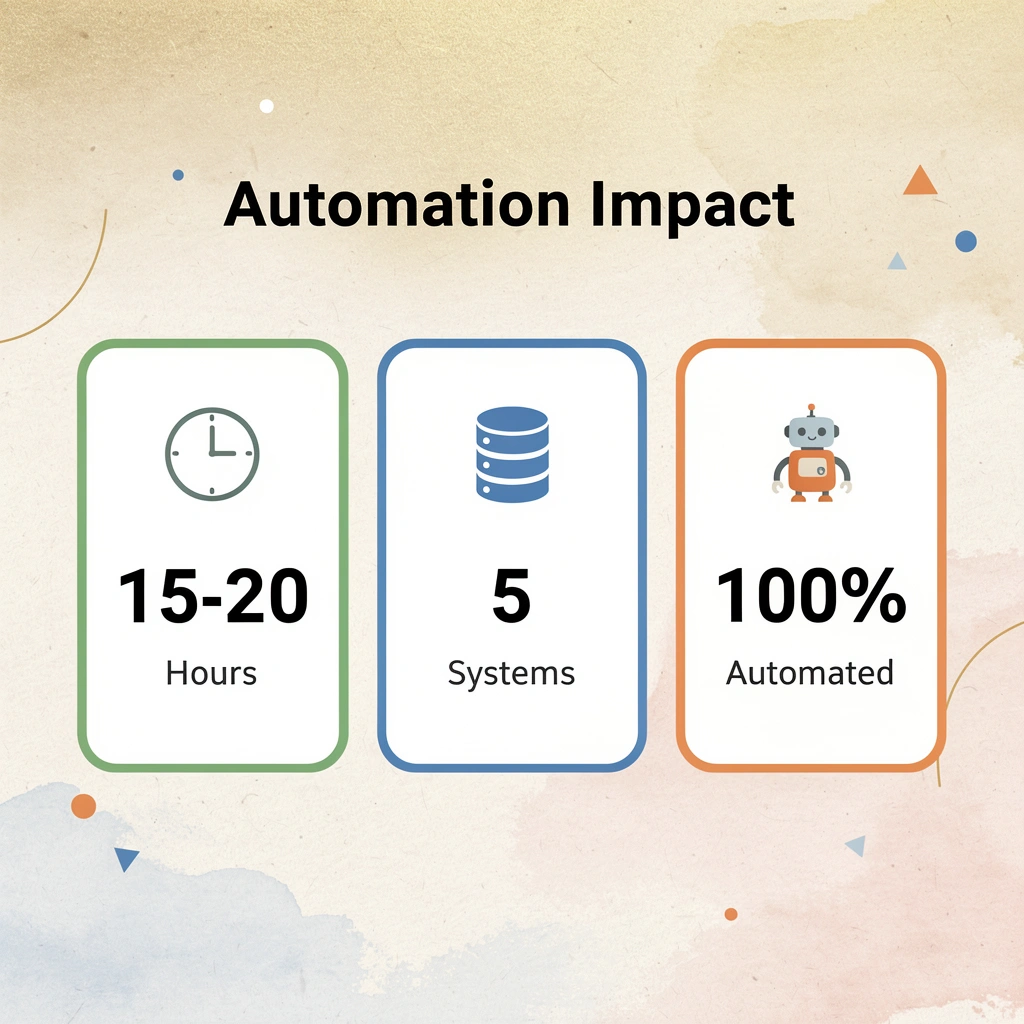
Execution-layer automation changes this. Instead of waiting for systems to integrate, tools like Bud operate across your existing digital environment the way a human would. Our AI agent navigates tax authority portals, extracts data from emails and attachments, fills web forms across multiple platforms, and completes repetitive cross-system tasks. Teams report eliminating 15-20 hours of weekly manual work by deploying an AI worker that executes the designed workflow across whatever systems they already use. Tip: You still need workflow design—the logic, approval gates, and validation rules matter. But execution automation closes the gap between what your process says should happen and what actually gets done. Start with one high-friction execution task, automate it, then expand to the next bottleneck.